Before choosing a school administration system, most founders and administrators ask the same question: Will this actually make my day-to-day work easier?
That usually means one thing — the software must help you run your school smoothly, without extra steps, workarounds, or wasted time. That’s exactly how DreamClass is built. Every feature is designed to reduce manual work and keep everything in one place.
Below, we’ll walk through two practical DreamClass features that quietly save time and remove friction from everyday school operations.
What basic school management features does DreamClass cover?
If you’re wondering whether DreamClass covers the essentials — students, teachers, classes, subjects — the short answer is yes.
With DreamClass, you can set up your entire school structure in minutes. Students, teachers, classes, subjects, and all the moving parts of your school can be added quickly and managed from one dashboard.
Your curriculum structure lives online, so you can organize classes and subjects the way your school actually works — not the way a system forces you to. Everything stays accessible from your browser, wherever you’re working.
That alone replaces spreadsheets, paper schedules, and scattered tools. But DreamClass goes further than the basics.
Which smart DreamClass features save the most admin time?
DreamClass includes many tools that simplify life for school administrators, teachers, and students alike. Here, we’ll focus on two features that tend to make an immediate difference once schools start using them.
1. How does DreamClass simplify timetable creation and management?
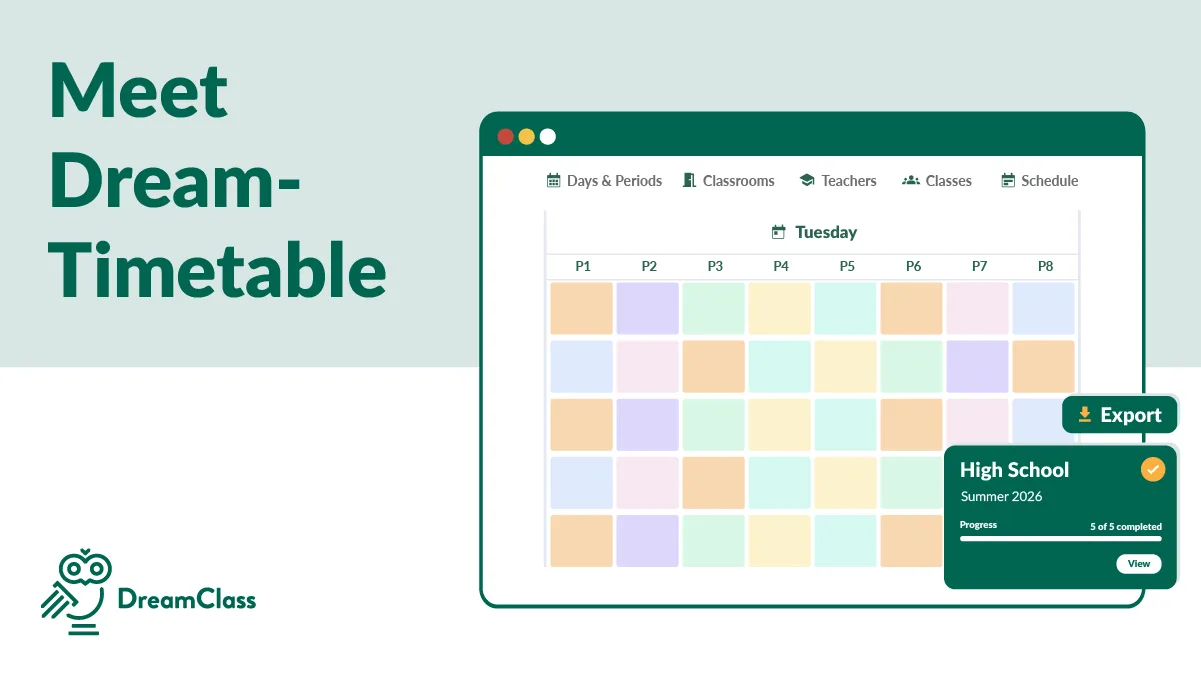
Building and updating a school timetable is time-consuming — especially when plans change. DreamClass lets you create and manage your bell schedule in minutes, without rebuilding everything from scratch.
Here’s what timetable management looks like in practice:
- Create multiple timetables per school period, and activate only the one you currently need.
- Adjust lesson durations visually by resizing time slots.
- Define school days and structure your weekly calendar the way your school operates.
- Assign teaching sessions to classrooms, reflecting real classroom usage.
- Clone existing timetables and make small changes instead of starting over each term.
- Use search filters to quickly find answers, even in complex schedules.
Extras that matter
Timetables aren’t just for administrators. Students see only the classes they attend, while teachers see the sessions they’re assigned to. Everyone stays aligned without extra emails or printed schedules.
When changes happen, teachers and students simply check their account — no follow-ups required.
2. How does DreamClass handle attendance management?
Attendance is one of those tasks that must be accurate but shouldn’t take over your day. DreamClass handles attendance in a way that fits real school routines.
With attendance management, you can:
- Create regular or ad-hoc attendance sessions, based on your timetable or for extra classes.
- Let teachers take attendance during class from their own accounts, while admins can enter or edit attendance later if needed.
- Record detailed attendance statuses, including:
- Present
- Excused absence
- Unexcused absence
- Expulsion
- Automatically generate attendance reports and performance records. As attendance is logged, student performance cards are updated with grades, assessments, and attendance data.
In addition, overall student transcripts are created automatically, including attendance summaries — ready for internal use or parent meetings.
Summing up: How DreamClass reduces daily admin work
These are just two examples of how DreamClass simplifies everyday school administration. The goal is simple: fewer manual tasks, clearer records, and less time spent chasing information.
Did you know DreamClass also helps you manage tuition fees and installments?
Try it for free and see how these and many other DreamClass features help you run your school with less effort, clearer records, and better visibility across your operations.
Related Reads
If you’re exploring ways to modernize and simplify school operations, these resources may also be helpful:
FAQ
Frequently Asked Questions
Is DreamClass suitable for small schools with limited staff?
Yes. DreamClass is built for schools with small teams. Most daily tasks, such as scheduling, attendance, records, and reports, are handled in one place, reducing manual work and follow-ups.
Can teachers manage attendance and schedules themselves in DreamClass?
Yes. Teachers can take attendance during class and view their own schedules from their accounts, while administrators retain full oversight and control.
Does DreamClass automatically generate attendance reports and student records?
Yes. As attendance is recorded, DreamClass automatically updates student performance cards and transcripts with attendance summaries, grades, and assessments.
Do students and parents see only the information relevant to them?
Yes. Students and parents can view only their own schedules, attendance data, and performance records, keeping information clear and private.