Lesson scheduling software can save schools from one of the most frustrating admin jobs of the year. When you build a timetable by hand, every change affects something else. A teacher is only free on certain days. A room is already booked. A course has too many requests. Another class has too few. Before long, your weekly schedule turns into a patchwork of spreadsheets, notes, and last-minute fixes.
That is why scheduling feels harder than it should. Many schools still manage lesson planning with Excel sheets, paper notes, or separate calendars. However, once you add teacher availability, student course requests, room assignments, and recurring classes, manual scheduling quickly becomes messy. Even a small change can create confusion across the whole timetable.
This article looks at why manual scheduling takes so much time, what schools should look for in lesson scheduling software, and how DreamClass helps staff build a class calendar that is easier to manage and easier to share. It also gives schools a practical way to evaluate whether a scheduling tool will actually reduce admin work, instead of adding another system to maintain.
Who Needs Lesson Scheduling Software Most?
Lesson scheduling software is especially useful for schools that have many moving parts, but limited admin time. That usually includes smaller private schools, new K-12 schools, and lean school teams trying to move away from paper records or disconnected spreadsheets. In many cases, the goal is not to find a complicated system. The goal is to keep everything in one place and make the weekly schedule easier to manage.
It is often a strong fit for schools that are growing, schools that offer elective courses, and schools that need a simple way to share timetable updates with teachers, students and parents. For schools evaluating tools built specifically for this segment, K-12 school management is often part of the comparison. It also helps founders and administrators who do not have substantial IT support and need a system that feels clear from day one.
What Happens Without Lesson Scheduling Software?
Many schools still create their timetable with spreadsheets or paper sheets. At first, that may seem manageable. However, as the school grows, manual scheduling becomes harder to control.
Manual planning often creates version problems, room conflicts and extra communication work. One person updates a spreadsheet, another teacher checks an old copy, and a parent receives outdated information. As a result, small timetable changes can create unnecessary confusion.
Lesson scheduling software gives schools one central place to build, update, and share the schedule. Because everything sits in one place, staff can check changes faster and spend less time confirming which version is current. Instead of working across several files, staff can manage the class calendar in one system and publish changes more clearly.
Why Is Lesson Scheduling the Hard Way So Time-Consuming?
Timetable, bell schedule, school program, or weekly class calendar, whatever term your school prefers, the schedule sits at the center of daily operations. It brings together classes, events, rooms, teachers, and student needs. Because of that, it affects almost everyone in the school community.
Manual scheduling takes time because every choice depends on another choice. Anyone who has tried to rebuild a timetable in a spreadsheet the night before sending it to parents knows how quickly small changes spiral. If one class moves, a teacher may need to move too. If a room becomes unavailable, another class may need to shift. And if student requests change, groups may need to be split or merged. Consequently, the work is repetitive, detail-heavy, and difficult to review at a glance.
Why Does Building a Weekly Schedule Take So Much Back and Forth?
Most schools start by gathering the same basic information. They need to know which classes will run, which students requested them, which teachers can teach them, and which rooms are available. That sounds simple enough. In practice, it rarely is.
Before you even place lessons on a calendar, you need to review course demand, teacher skills, available teaching hours, and room capacity. Then you need to decide how to group students and where to place each lesson. After that, you usually need to go back and adjust everything again.
A typical scheduling process may include writing down class requests, matching teachers to subjects, checking room availability, and reviewing how many students each class can support. Then the timetable needs another pass so you can deal with overloaded classes, underfilled classes, and the awkward gaps that appear between them.
That is one reason lesson scheduling software matters. It helps schools move from scattered planning to a clearer class calendar that can be adjusted without rebuilding everything by hand.
Which Difficult Scheduling Scenarios Slow Schools Down?
Some scheduling problems come up again and again. They are common in both smaller schools and growing schools; especially when the timetable is built manually and updated across separate files.
Schools may need to manage singleton classes, balance popular and low-demand courses, fit guest teachers into limited time slots, and respond to student preferences that cannot all be honored at once. They may also need to keep a waitlist, prepare several possible timetable versions, or answer parent questions before the school year begins.
These scenarios are hard because they are connected. A single teacher change can affect room use, course timing, and student placement. Therefore, a good lesson scheduling software tool should make changes visible quickly and help staff adjust the timetable, without losing control.
What Should Schools Look For in Lesson Scheduling Software?
Well, not every scheduling tool is built for school operations. Some tools help with basic calendars, but they don’t support the real work behind a school timetable. For that reason, schools should evaluate software based on what makes daily admin simpler, not just what looks impressive on a feature page.
The most helpful lesson scheduling software usually supports recurring lessons, one-off lessons, teacher availability, room assignments, and personalized timetable views. Just as importantly, it should make those tasks feel clear for a small school team that does not have time for long setup projects or technical workarounds. It should also make updates easy to share and easy to understand. A system that saves time is not just one that creates a schedule. It is one that helps the school keep the schedule accurate when changes happen.
Schools should also look for a tool that is simple to learn. For lean admin teams, a clear layout matters just as much as raw functionality. If the system is too hard to use, staff may return to spreadsheets even after adoption.
Which Common Scheduling Scenarios Should Software Handle Well?
A useful scheduling platform should support the real situations schools face during the year, not just ideal planning conditions at the start of term. That means it should help with both routine scheduling and last-minute changes.
For example, schools often need to build weekly class schedules, manage electives, adjust teacher assignments mid-term, publish personalized timetables, and prepare class calendars before school starts. They may also need to schedule both recurring lessons and one-time sessions. When software supports those everyday tasks well, the timetable becomes easier to trust.
How Does Lesson Scheduling Software Prevent Scheduling Conflicts?
One of the biggest advantages of lesson scheduling software is conflict visibility. In manual systems, double bookings and overlaps are easy to miss. A teacher may be assigned to two classes at once. A room may be used by more than one group. A student may request classes that clash.
With better timetable visibility, staff can spot those issues earlier and fix them faster. Instead of rebuilding the whole schedule, they can make targeted changes. That saves time and reduces confusion for the rest of the school.
Conflict prevention also matters because communication improves when the schedule is more reliable. Teachers know where they need to be. Students can check their timetable with confidence. Parents are less likely to call the office asking which version is correct.
How Does DreamClass Help With Lesson Scheduling Software Needs?
DreamClass gives schools a more organized way to manage lesson scheduling software tasks, without relying on separate files or paper records. Schools that want a closer look at lesson scheduling and timetables can review the feature set in more detail. Schools that already use a broader school management system approach often look for this kind of scheduling workflow because it keeps admin work connected, instead of spreading it across separate tools. It helps administrators build a central timetable, review class details, and keep everyone on the same page.
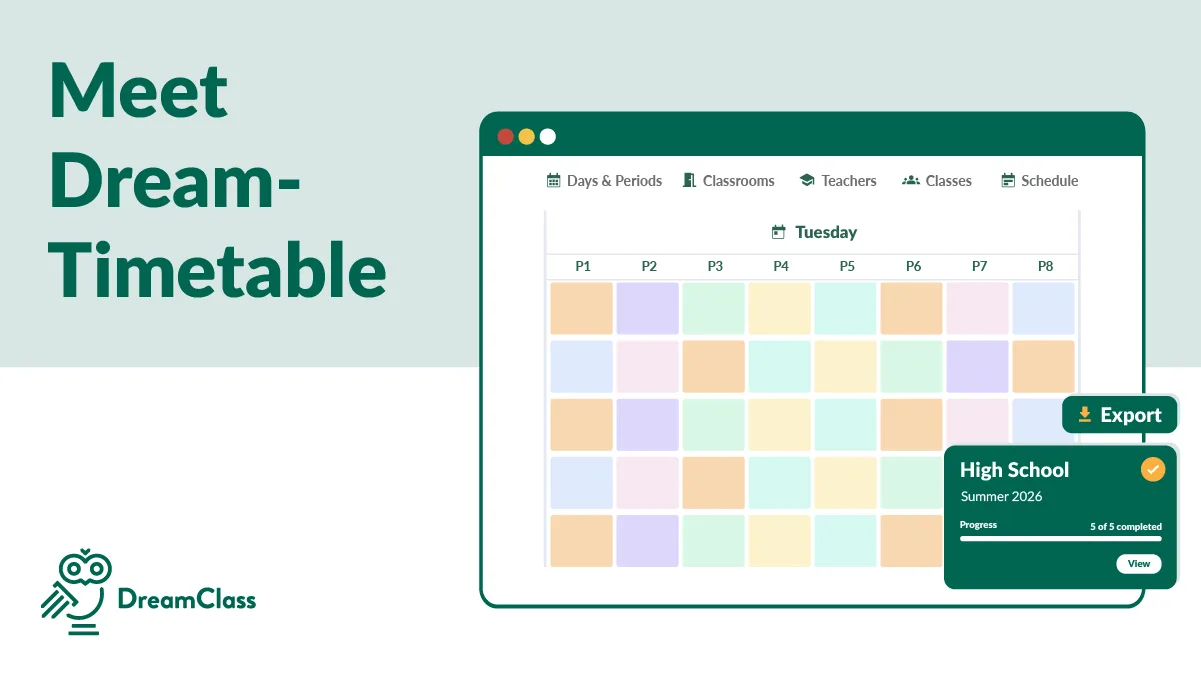
Staff with admin rights can create a consolidated school timetable that includes classes and school events. They can also view a class-wide timetable that shows which course is scheduled and when it takes place. That gives the school one main place to manage the weekly schedule.
Teachers can log in and view their personal timetable with the classes assigned to them. That works alongside the teacher portal, so teachers do not need to chase the office for the latest update. In the same way, students and parents can access a personal timetable from their own accounts, through the student portal. As a result, families can check schedules on their own, instead of waiting for the school to resend timetable details. Because of that, schedule updates do not need to be passed around manually.
What Does a Better School Timetable Look Like in Practice?
Imagine a small private school preparing its schedule before the academic year starts. The school needs to assign teachers, organize rooms, build recurring lessons, and share student schedules. If all of that happens in spreadsheets, one change can trigger a long chain of edits.
With DreamClass, the school can manage those steps in one place. That kind of workflow is easier to picture when you can see how other schools reduce workload and simplify complex processes with DreamClass, in practice. Administrators can build the class calendar, assign teachers, and publish updated schedules to teachers, students, and parents from the same platform. As a result, the process becomes more organized and easier to review.
How Can Schools Build Their Timetable in DreamClass?
DreamClass supports schools from the setup stage, through daily timetable updates. First, schools can build a detailed course structure so classes are easier to organize later. Then, they can create teacher profiles, with the information needed for more informed scheduling decisions.
From there, staff can add one-off lessons or create recurring lessons. If the school needs a clearer visual view, the schedule can also be reviewed in a timetable format that makes busy weeks easier to scan. Weekly and biweekly patterns help schools schedule lessons faster, while still setting important details such as start times, duration, and weekdays. Scheduled lessons appear on timetables in a visual format that is easier to scan.
That matters, because a schedule should not just exist. It should actually be readable when someone opens it at 7:30 in the morning, trying to figure out where they need to be. It should also be easy for people to understand. A clearer timetable helps staff work faster and helps students and parents check what is next, without confusion.
How Does DreamClass Make Schedule Changes Easier to Share?
Schedule changes are part of school life. A teacher may become unavailable. A room may need to be reassigned. A class may need to move. When that happens, DreamClass helps schools update the timetable and make those changes visible to the right people.
Administrative staff can contact teachers directly from DreamClass, either in bulk or one-by-one, when a schedule change needs attention. That matters because schedule updates often create a second job: notifying everyone quickly and clearly. At the same time, updated timetable information can appear in teacher, student, and guardian accounts. That reduces the need for office visits, scattered messages, and repeated phone calls.
This is especially useful before school starts. Staff and families can check the class calendar in advance, raise questions early, and help the school catch issues before the first day. In practice, that can reduce the flood of last-minute calls and messages that usually hits the office when schedules are shared too late.
How Can Schools Compare Manual Scheduling With Scheduling Software?
For many schools, the choice comes down to control. Manual scheduling may feel familiar, but it often creates more admin work, over time. Staff spend longer checking files, correcting errors, and confirming changes with families.
By contrast, lesson scheduling software helps schools build faster, update faster, and share information more clearly. Instead of wondering which spreadsheet is current, staff can work from one source of truth. That creates a better experience for administrators, teachers, students, and parents, alike.
What Questions Should Schools Ask Before Choosing Lesson Scheduling Software?
A school does not need a huge checklist to make a smart decision. However, it does need to ask whether the software will actually reduce daily admin work. That is the standard that matters most.
Schools should ask whether they can assign teachers based on availability, schedule recurring and one-off lessons, manage rooms and resources, give families online access to timetables, and update the weekly schedule without rebuilding it from scratch. They should also ask whether the platform feels easy enough for a small team to use every day.
If the answer is yes, the software is far more likely to help the school move beyond spreadsheets and stay organized, as it grows.
Why Try DreamClass for Lesson Scheduling Software?
A useful scheduling platform should do more than generate a timetable. It should help schools stay organized when real life gets messy. That means handling recurring classes, teacher changes, room updates, and parent questions without forcing the admin team back into spreadsheets.
DreamClass is strongest for schools that want a practical system they can actually use day-to-day. The value is not just in creating a timetable. The value is in keeping that timetable accurate, visible, and easier to manage across the school year.
If your school wants a clearer way to build the weekly schedule, manage timetable changes, and keep everyone informed, DreamClass offers a practical place to start. It helps schools organize classes, teachers, and school events in one system, so staff can spend less time fixing scheduling confusion and more time running the school.
Try DreamClass for free and see how lesson scheduling software can make your timetable easier to build, easier to update, and easier to share. Schools that are further along in the buying process often check customer reviews and pricing before making a decision.
Related Reads
You may also want to explore:
FAQ
What Are the Most Common Questions
About Lesson Scheduling Software?
What is lesson scheduling software?
Lesson scheduling software helps schools organize classes, teachers, rooms, and time slots in one timetable system. It makes it easier to build, update, and share the weekly schedule.
Why is manual lesson scheduling so difficult?
Manual scheduling is difficult because every class decision affects other parts of the timetable. Teacher availability, room use, class size, and student requests all need to work together.
Can lesson scheduling software reduce timetable conflicts?
Yes. It can help schools spot teacher, room, and class conflicts earlier, so they can fix problems before the timetable is finalized.
Can students and parents check schedules online?
Yes. Many school scheduling systems provide personal timetable access so students and parents can check their schedule without calling the school.
How do schools choose the right lesson scheduling software?
Schools usually start by asking a few practical questions. Can the system handle recurring lessons? Can teachers, students, and parents see their own timetable? Can staff update the schedule without rebuilding everything? If the answers are yes and the system feels simple to use, the software is usually a good fit even for smaller private schools.