It’s been a busy few months on our end, and most of it was spent on the parts of DreamClass you use every day. That includes reports, payments, messages, attendance.
Since our last update, we shipped one brand-new feature area for your Donations, and rebuilt the reporting, payments, and communication tools underneath it. Nothing here requires setup on your part. It’s already in your account.
Below is what changed and what it means day to day for your school.
The all new Donations feature area
Schools can now run fundraising campaigns without a separate donation tool. Set up a school-branded public donation page, accept card gifts through Stripe, or log cash and check gifts yourself. Families see “My donations” in their guardian and student portals, and you can pull stats, export to CSV, and message donors directly. We’ve since added ACH and SEPA bank payments, Apple Pay and Google Pay, minimum gift amounts, donor anonymity, and shareable donation links — so however your community prefers to give, there’s a low-cost way to do it.
Run Your School Better: Reports & Finances
Pulling a list used to mean picking through several screens. Now, People Directories give you configurable, exportable, printable lists of students, teachers, and guardians in one place, and you can save a directory view once and reuse it every time. Financial Reports now cover all semesters at once, handle multiple currencies, and use a simpler date-range picker. We also renamed a few confusing labels. So, “Unpaid” is now “Outstanding” (it includes partly paid invoices), and “Pending” is now “Uninvoiced“. That way, the numbers say what they mean. Large exports, like bulk report cards or admission PDFs, now generate in the background instead of timing out.
More Ways to Get Paid
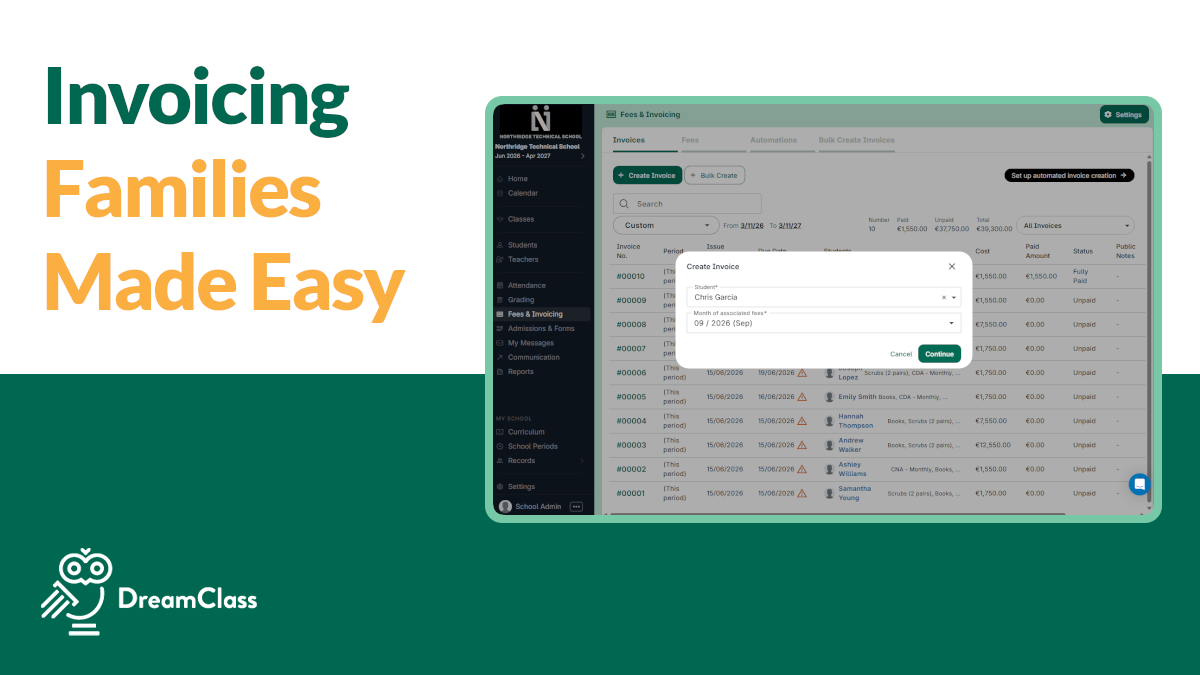
Families can now pay with buy-now-pay-later for larger tuition amounts. If you pass processing fees on to families, that fee now shows as its own line on the invoice. You can also collect payments by QR code or a public link where the payer sets the amount. That’s handy for events, deposits, or one-off collections. All your payment settings, including Stripe, now live in one place, and if your Stripe connection ever needs a reset, you can do that yourself without a support ticket.
Communication: Messages
You can now see exactly why you received a message. Bulk sends show a clear “+N recipients,” and every message carries sender and recipient role labels. Admins get delivery status on what they send, and guardians see all messages involving their children in one thread. We also added spell check and keyboard shortcuts to the email editor, and parents are now notified automatically when assignments are posted.
Two-way Gmail/Outlook replies aren’t here yet, but they’re in the oven. We found that some of the other features you asked for would bring you more value, sooner. But, we’ll tell you as soon as they’re available.
Attendance & Security
The Attendance Report has been redesigned for a clearer view across the school, and each student profile now has its own Attendance tab with full history in context. If your school uses custom attendance statuses, those now count correctly everywhere. That includes reports, exports, and performance cards.
On the security side, you can now require two-factor authentication by role, set your own password policy, and staff at multi-branch schools can use one login across every campus.
Also New
Smarter Applications
Admissions forms now show or hide fields based on earlier answers, for shorter, smarter applications, with clean CSV/Excel export.
File Center
Last, but not least, File Center launched! This was one of the most requested features from schools like yours. It solves a problem almost every admin runs into, which is getting the right document to the right people without emailing attachments back and forth. The File Center gives your school a shared library with folders and per-role access permissions, and it’s now available to teachers in their portal too. It’s also the first step toward a single, unified home for every file in DreamClass, including student records, admissions documents, and everything else, all in one searchable place.
Release Notes
New Features
- Donations: fundraising campaigns, online and offline gifts, multiple payment methods
- File Center: a shared file library with role-based access
- Two-factor authentication, available per role
- Buy-now-pay-later at checkout
- Pay by QR code or shareable public link
- Conditional logic on admission forms (fields show or hide based on earlier answers)
- People Directories for students, teachers, and guardians, with saved views
Improvements
- Financial Reports now cover all semesters and multiple currencies
- Clearer invoice labels: “Outstanding” and “Uninvoiced”
- Large exports now run in the background instead of timing out
- Guardians see every message involving their kids in one thread
- Email editor now has spell check and keyboard shortcuts
- One login across branches for multi-branch staff
- Stripe settings and connection status now live in one place, with self-service reset
Fixes
- Custom attendance statuses now count correctly across every report, export, and performance card
- Every financial report now clearly labels its date column, so there’s no guessing which date it’s using
- Form builder now asks for confirmation before deleting a field, to prevent accidental loss
For schools still deciding:
If you’re a school on trial, or thinking about bringing on another campus, did you know that trials are now 30 days long instead of the old 7-day window? This gives your team more time to actually test things out.