Fees & Invoicing in DreamClass helps schools set up charges, assign them to students, create invoices, collect payments, and automate repeat billing in one place. In practice, the workflow is simple: create the fee, assign it, issue the invoice, then automate the parts you repeat every month.
What problem does Fees & Invoicing in DreamClass solve?
Most schools don’t actually struggle because billing is impossible, but because it’s scattered. One spreadsheet tracks tuition. A note shows who paid. Someone else emails reminders. Then, when a family asks a simple question, the team has to piece together the answer.
Fees & Invoicing in DreamClass brings those steps together. That matters for private schools, new K-12 founders, microschools, homeschool collectives, and training providers alike. Instead of juggling disconnected tools, schools can manage charges as part of a broader school management software workflow.
What is the basic workflow for Fees & Invoicing in DreamClass?
The core workflow is short and clear. First, create the fee. Next, assign the fee to the right student or group. Then, issue the invoice. After that, record the payment or automate future invoices.
Keep in mind, a fee is not the same as an invoice. The fee defines the charge. The invoice is the bill the student or guardian receives. Once teams understand that distinction, the rest of the process feels much easier to manage.
Before moving on, it helps to picture what this changes in daily school life. Instead of asking who owes what, who got notified, and which due date applies, your team can check one organized flow.
How do you set up fees in DreamClass?
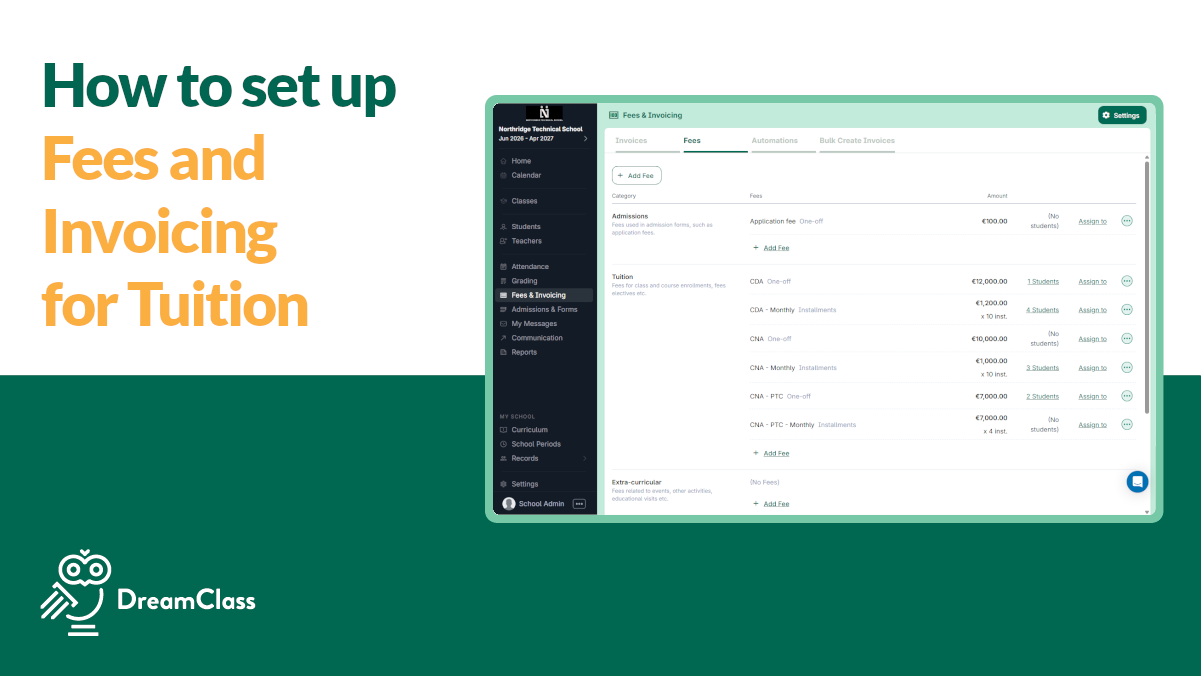
Start in the Fees & Invoicing area and create the payment option you want to offer. DreamClass supports different fee structures, so schools can match billing to the way they actually operate.
Common examples include:
- One-off fees for single charges
- Recurring fees for monthly tuition or installment plans
- Application fees, linked to admissions
That flexibility is useful because not every school bills the same way. A private school may create a term fee. A homeschool collective may use class-based charges. A vocational provider may bill by intake or program.
After you choose the structure, name the fee clearly, set the amount, and choose the start date. For recurring fees, define the number of occurrences and the amount of each installment. As a result, your billing stays consistent before a single invoice goes out.
How do you assign fees to students in DreamClass?
Once the fee exists, the next step is assignment. Schools can do this one by one, in bulk, or through admissions-related class setup, so fees connect automatically.
Schools don’t grow in neat lines. Sometimes one family needs an individual charge. But, at other times, an entire class needs the same fee at once.
You can usually assign fees:
- individually from the student financial area
- in bulk for a class, grade, or intake
- automatically through admissions and class-linked setup
When assigning an installment-based fee, DreamClass lets you start from the fee start date or from today. That sounds small. Still, it helps schools align billing with real enrollment dates, term boundaries, and payment calendars.
How do you create invoices after assigning fees?
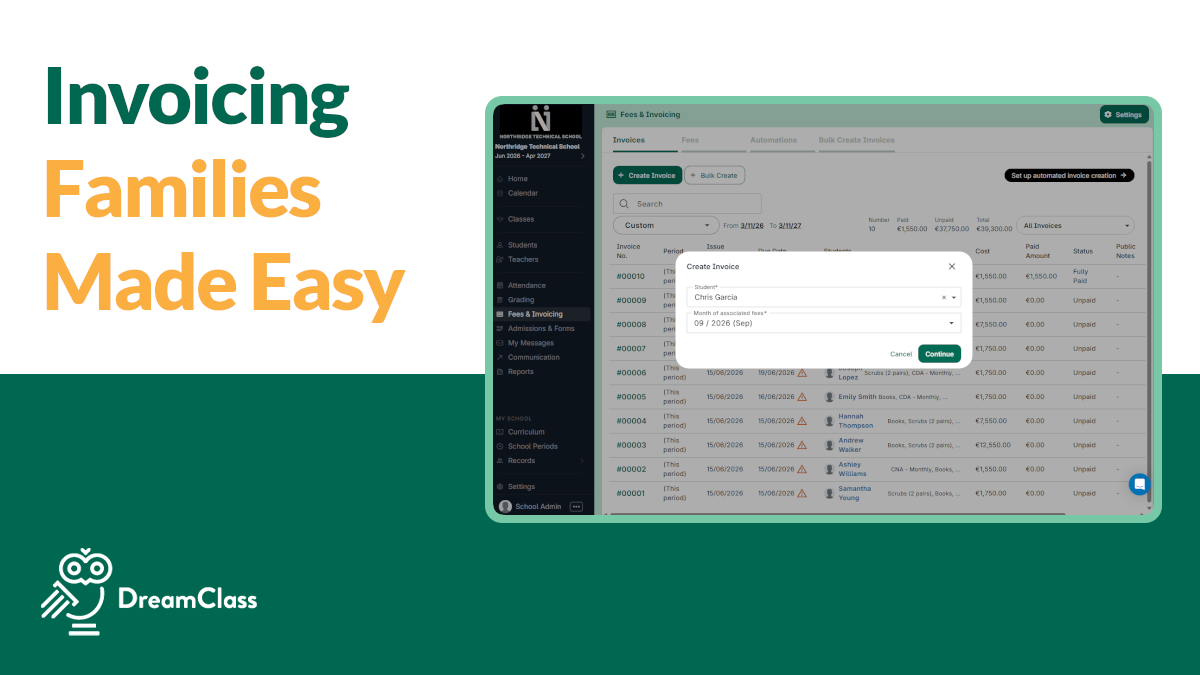
After the fee is assigned, you can create the invoice. This is the step that turns a billing setup into something the recipient can actually receive and act on.
Before you send it, review the details. That review step is worth slowing down for. It prevents messy follow-up later.
You can usually check or edit:
- Due date
- Public notes
- Private notes
- Recipients
Then, you choose whether to create the invoice only or create it and notify the recipient. That gives small teams a practical balance between speed and control. In other words, you can move quickly without losing the chance to catch mistakes.
How do you send invoices to guardians instead of students?
Many schools bill families, not students directly. DreamClass supports that by letting schools choose recipients, so guardians receive the billing communication.
Clear recipient settings reduce confusion, lower the chance of missed messages and make follow-up easier for admin teams. For schools that rely on family visibility, this also fits naturally with broader parent access and communication workflows.
How do you mark invoices as “paid” in DreamClass?
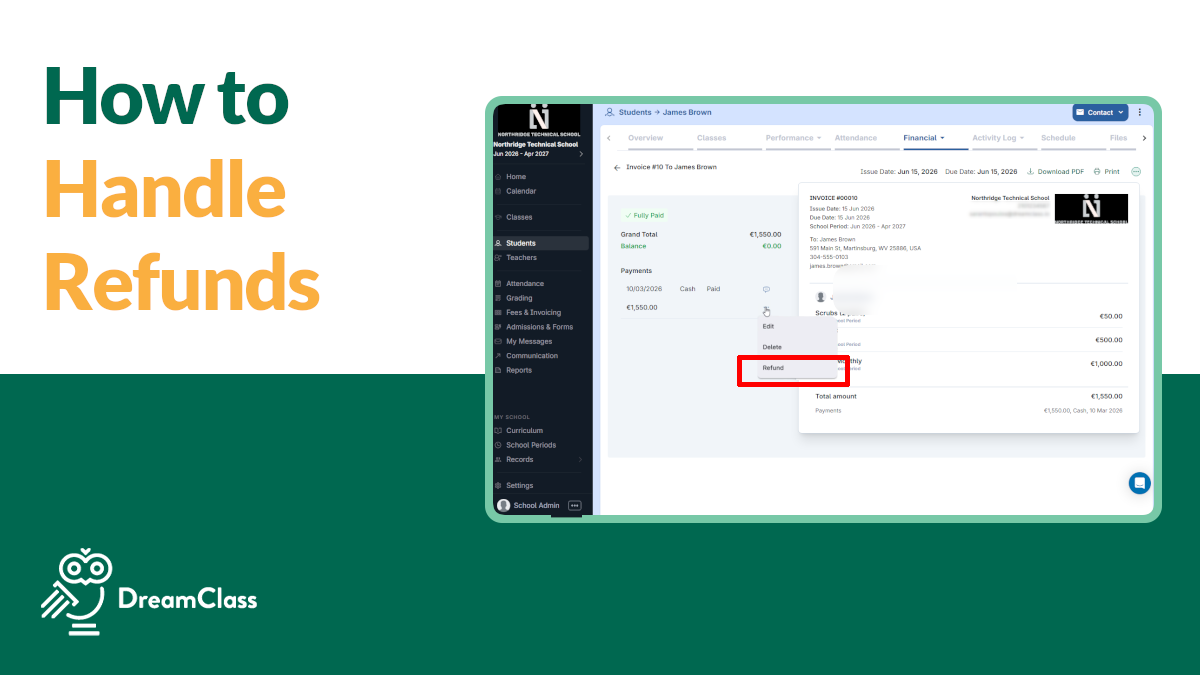
When a payment arrives, open the invoice and record it there. That keeps the payment history attached to the original billing record, instead of hiding it in a separate spreadsheet or inbox.
Schools can use this step to record details such as:
- payment method
- payment date
- public notes
- private notes
That gives the office a cleaner answer when someone asks what was paid, when it was paid, and how it was recorded. Over time, that kind of clarity saves more admin time than most schools expect.
How do bulk actions make school billing faster?
Bulk actions are where many teams start feeling real relief. If the same fee applies to a class, grade level, cohort, or intake, there’s no reason to rebuild the same billing action one student at a time.
A practical bulk workflow looks like this:
- Filter students by class or group
- Select the students you want
- Assign the fee in bulk
- Create invoices for the assigned fees
- Notify recipients
This workflow is useful for annual fees, monthly tuition, cohort billing, and term-based charges. More importantly, it keeps the process clean when the same billing event affects many learners at once.
After the bulk step, the team still has visibility. Fast billing only helps if it stays easy to review.
▶️ Watch the video:

0:01 Hi, this is Lida, welcome to DreamClass in today’s session we’re going to see how we can set up our key admin operations using DreamClass next up is
0:09 fees and invoicing so go to the fees and invoicing menu and the first stop we’re going to see is fees the fees and DreamClass is how you’re charging your
0:18 parents or your students about the tuition that they pay for your school you can add uh installments monthly installments you can add one of fees or
0:27 periodic every two every two months every two weeks in this video we’re going to just add a term fee so let’s
0:33 say that term fee for spring and it costs 6,000 to pay for the school in
0:42 order for me to assign it to students I can go to the menu students bulk autions and choose multiple students or I can go
0:50 to one family under Nick Carter and I can assign them through here in order to assign the spring I will just click it
0:58 and it straight went to this family now I also have to include it in an invoice a fee alone doesn’t have so much
1:06 power but if Fe include it in an invoice it’s actually how the parents are going to receive it so if you click here create
1:14 invoice the Carters have now received your tuition that they have to pay 6,000 for that invoice if you want to offer
1:22 digital payments to parents we offer an integration with stripe so the parent is able to pay with the credit card
1:30 if you would like to manually enter the payment as paid you can choose payment payment method cash bank
1:38 transfer online payment or check and hit save so just as a recap in this quick video we saw how we could set up
1:46 attendance Gradebook and invoicing using DreamClass and in the next video hit play so that you can see the new part of
1:54 setup
What can you automate in DreamClass invoicing?
Automation removes repeat admin work, once the fee structure is solid. So, the right order is, first make the setup clean. Then let the system repeat it.
DreamClass can help schools automate school workflows by defining rules for recurring invoices, including:
- when invoices should be created
- which month should be invoiced
- who should receive the invoice
- what the issue date should be
- what the due date should be
- who should receive notifications
For example, a school might run invoicing on the first day of each month, invoice the current month, send billing to guardians, and set a later due date. That makes the billing cycle predictable. It also lowers the risk of missed steps when teams are busy.
How do online payments work with DreamClass?
If the school connects Stripe, DreamClass can support online fee payments for invoice recipients. That creates a simpler payment path for families and students, which often means fewer delays and less back-and-forth.
There’s also an option for automatic payments for recipients who save their payment details. For schools using a tuition payment system, this can reduce manual collection work and create a smoother recurring-payment experience.
The operational upside is straightforward:
- fewer late payments
- less manual chasing
- easier payment tracking
- a better family experience
When billing becomes easier to complete, it usually becomes easier to collect. And that’s one reason why payment workflow design is so important..
Why does this workflow matter for different school types?
The billing logic is the same across school models, even though the wording may change. More specifically, DreamClass ties fees, installments, invoices, payment notes, guardian visibility, and reporting into the same product ecosystem, instead of leaving billing as a disconnected admin task. That product connection is useful, inasmuch as the platform’s Financial Management capabilities are built to manage student fees, payments, and related records in one place, while connected guardian access supports clearer family billing communication. Some teams say tuition. Others say class fees, program charges, or student billing. The underlying need is still the same. To keep charges clear, track who’s paid and reduce admin drag. So:
- Private schools need cleaner tuition tracking and stronger day-to-day visibility. They often want to see who’s paid, without jumping between tools.
- New K-12 schools want to leave spreadsheets behind before billing gets messy.
- Homeschool collectives often want flexible class-fee tracking, without heavy institutional language.
- Vocational schools need a way to track payments by intake, installment or program.
That’s why the language has to stay practical. School leaders across these groups respond to clear phrases like tuition tracking, who paid what, reminders, and one place to manage everything.
Game-Changer for Private Schools
The platform has made managing student records, attendance, and fee tracking much more efficient.
Office manager Primary secondary education
Seamless Transition & Support with DreamClass
Having the school calendar, student financials, attendance, assignments, SIS and applications all in one place is the greatest benefit. We had 4 different platforms prior to DreamClass and are now able to function as a school in one. This has been extremely effective and efficient.
SLS Operations Director Education management
What are the best practices for setting up billing cleanly?
Most billing problems don’t really start with the invoice. They start with a fuzzy setup. Because of that, a few habits make a noticeable difference, early on.
Develop these habits from the start:
- Name fees clearly so staff and families can recognize them fast
- Set start dates carefully so installments align with school periods
- Review invoices before sending notifications
- Use bulk actions when the same charge applies to many students
- Turn on automation only after the fee structure is consistent
None of those steps is flashy. Even so, they prevent the avoidable confusion that usually creates the most follow-up work.
What is the next best step after reading this?
If your current billing process lives across spreadsheets, notes and reminder emails, this is the moment to simplify it. Fees & Invoicing in DreamClass works best when the setup is clear, the assignment logic is consistent, and repeat tasks are automated only after the basics are in place.
So, the practical path forward is this: Set up the fee structure, test the workflow with a small group, and then expand it to recurring billing and online payments.
See how DreamClass can help your school organize fees, invoices, reminders, and payments in one place.
Related Reads
FAQ
Frequently Asked Questions
What do schools ask about Fees & Invoicing in DreamClass?
Is DreamClass a tuition and fee management system?
Yes. Fees & Invoicing is the core of tuition and fee management system in DreamClass, including fee setup, assignment, invoicing, and online payments all live in one connected workflow. That is one reason schools moving off spreadsheets often describe DreamClass as one of the best tuition management software options for centralizing billing.
How do I manage tuition and invoicing online?
In DreamClass, you create the fee, assign it to students or groups, generate the invoice, and choose whether to notify recipients. And everything happens from the same online dashboard. Connect Stripe to let families pay online, then turn on recurring automation, once the fee structure is consistent.
Can DreamClass handle one-time and recurring fees?
Yes. Schools can create one-off fees and recurring fees, including installment-based setups.
Can I assign the same fee to many students at once?
Yes. Bulk actions let schools assign fees to groups and then create invoices in batches.
Can guardians receive invoices instead of students?
Yes. Recipient settings can be configured so billing goes to the appropriate guardian or family contact.
Can families pay invoices online?
Yes. DreamClass supports online payments through Stripe when that integration is connected.
Can monthly invoices be created automatically?
Yes. Schools can enable recurring automation and define issue dates, due dates, recipients, and notifications.
We run a vocational training institute and need a school billing system that supports installment payment plans and lets parents pay tuition online via Stripe or PayPal. Can DreamClass do this?
Yes. DreamClass supports installment-based fee plans, which fit intake-based or program-based vocational billing, and Fees & Invoicing connects with Stripe for online payments. DreamClass’s vocational-schools page also confirms support for additional payment gateways, including Stripe, Google Pay, Apple Pay, cards, or bank transfer (wire transfer/ACH).
Questions by Popular Demand
What school management platforms include online fee payment processing?
Many modern school management platforms, including DreamClass, include built-in fee payment processing so schools can create fees, send invoices, and accept online payments without a separate billing system.
What are the best online tuition payment platforms designed specifically for private schools?
The best online tuition payment platforms for private schools combine fee creation, automated invoicing, and secure payment collection in one system, letting families pay online, while administrators track balances without manual reconciliation.
How can private schools set up automated tuition billing and payment reminders online?
Private schools can set up automated tuition billing by creating recurring fee schedules in their school management software. Then, enabling automatic invoice generation and payment reminder emails, so families never miss a due date.
What security standards should private schools look for in an online tuition collection system?
Private schools should look for PCI DSS compliance, encrypted payment processing, and secure data storage when choosing an online tuition collection system, ensuring family financial information stays protected throughout every transaction.
How do online tuition collection tools help private schools reduce late or missed payments?
Online tuition collection tools reduce late or missed payments by automating due-date reminders, offering multiple payment methods and giving parents 24/7 access to invoices. This removes the friction that often delays manual payments.