Hybrid homeschool programs that run smoothly have one thing in common. They’ve centralized scheduling. Every family can see their child’s complete weekly class plan through a single login. Every administrator can update it without a cascade of emails or printed handouts that are outdated by the time they reach the door. That’s the operational standard those hybrid homeschool student schedules need to meet. Getting there, however, requires understanding what makes co-op scheduling different from any other school model, and what a purpose-built tool actually handles.
Why Are Hybrid Homeschool Student Schedules So Complex to Manage?
Traditional schools assign every student to a fixed classroom with a fixed teacher. Everyone follows the same timetable. Hybrid homeschool programs don’t work that way. Families choose their own combination of classes across different subjects, levels, and instructors. A student might take writing on Tuesday mornings, join a history elective on Thursday afternoons, and attend a single-session science workshop in October. That a la carte structure is one of the model’s defining strengths. It’s also what makes the schedule genuinely difficult to manage.
Administrators at a typical co-op are juggling several layers simultaneously. To illustrate the scope, the recurring operational elements usually include:
- Multiple class sessions across different subjects running on the same campus days
- Part-time instructors and parent volunteers with varied availability windows
- Students spread across different grade groupings or skill levels within the same program
- Special events, field trips, and make-up sessions that fall outside the regular weekly pattern
When a co-op grows past 25 or 30 students, keeping all of that synchronized, and making sure every family always has the current version of the schedule, is beyond what a shared spreadsheet can reliably handle.
How Do Most Hybrid Programs Handle Student Schedules Before Switching Tools?
Most co-ops start with the same patchwork: a master schedule built in Google Sheets, updates pushed through group texts or a Facebook group, and paper printouts handed to families on campus. It works in the early stages. However, as enrollment grows, those systems create friction every single week.
Parents contact the administrator to ask about class times they’ve already been sent. Teachers arrive to sessions with incomplete rosters. Administrators spend hours re-sending information that should be visible on demand. The manual overhead compounds quickly, and the co-op’s ability to grow is limited not by demand but by the capacity of one person to manage information across disconnected channels. That’s the operational gap homeschool class scheduling software is built to close.
The National Center for Education Statistics tracks homeschooling participation through its National Household Education Survey, and hybrid co-op models have become one of the fastest-growing segments within that space. The operational challenge of managing schedules at scale is one of the most consistent friction points programs report as they grow.
How Does DreamClass Handle Recurring and One-Time Hybrid Homeschool Schedules?
DreamClass structures scheduling around two session types, and that distinction maps directly to how hybrid programs actually operate day-to-day.
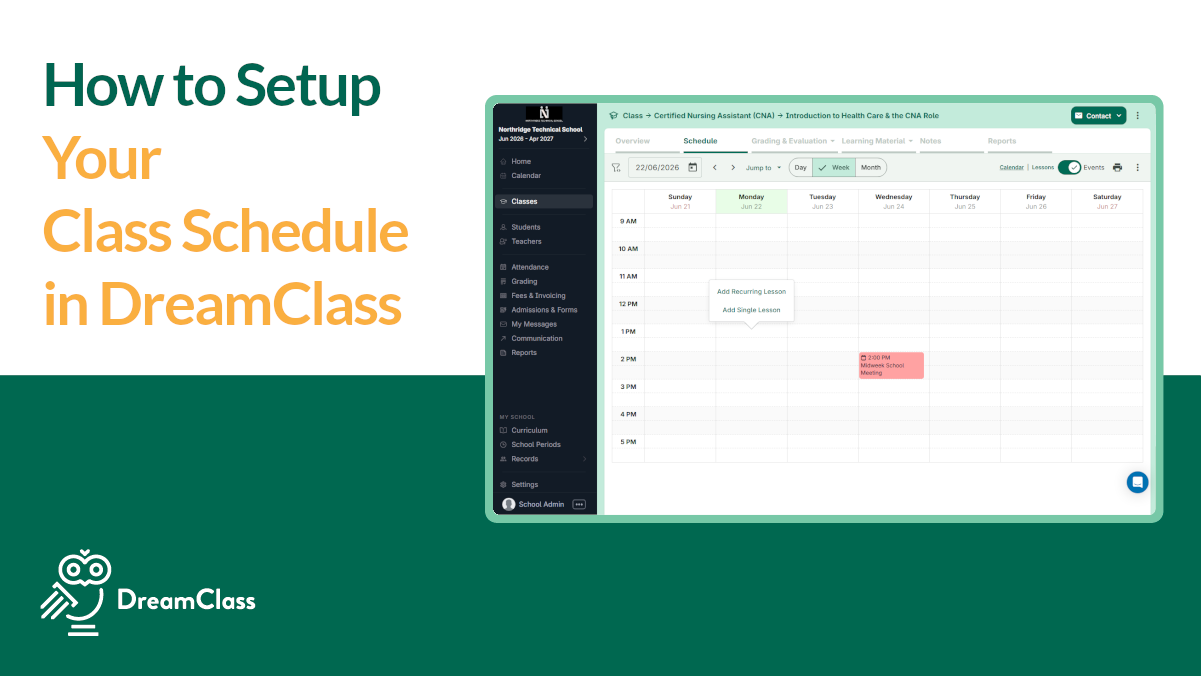
Recurring lessons cover the regular weekly pattern. You select the day, set the time, assign the instructor, and DreamClass automatically repeats the session on that cadence each week. For a program running six or eight subjects across two campus days, this eliminates a significant block of manual entry at the start of each term. There’s no need to re-input the same sessions week after week throughout the school year.
One-time lessons cover everything that doesn’t fit the recurring structure. Field trips, make-up classes, guest instructors, and single-session workshops each get their own scheduled slot without disrupting the recurring calendar. You pick the date, set the time, and the event appears on the timetable alongside the regular sessions.
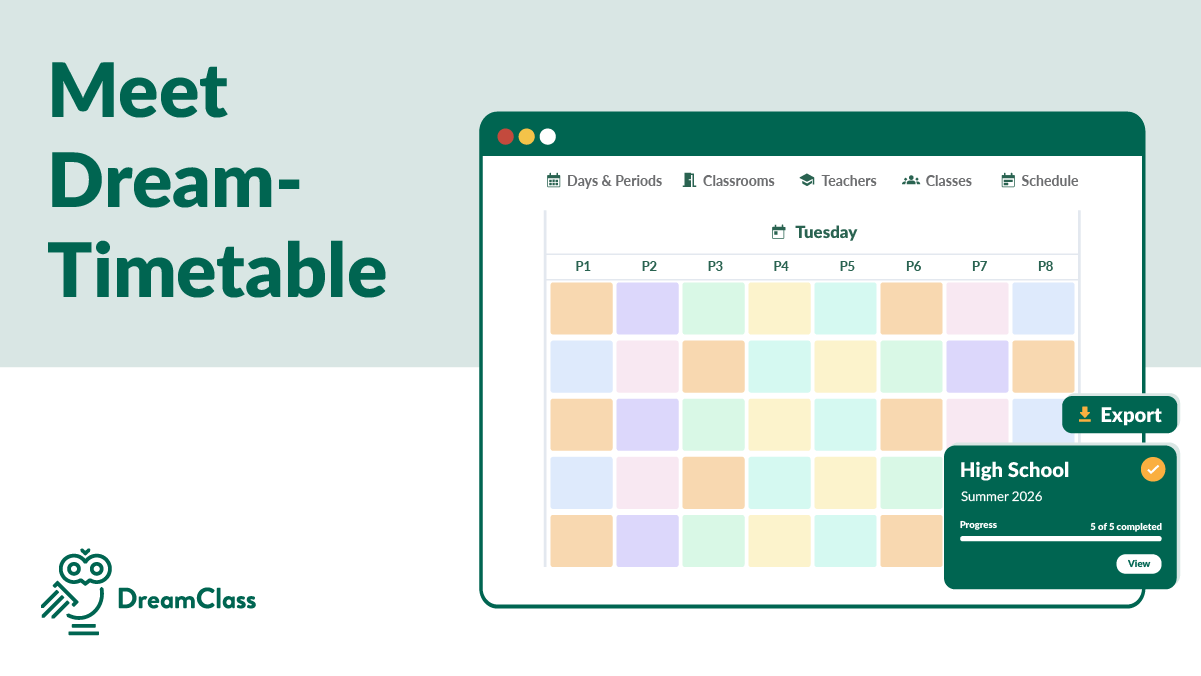
Both session types roll into a centralized timetable that’s visible to students, parents, and staff through their individual logins. That means no separate calendar attachments, no PDF emails, and no printouts that become inaccurate the moment a session moves. The schedule in DreamClass is always the current schedule.
▶️ Watch the video:
0:00 Hi there, this is Lida, and in this quick video I’m going to show you how you can add your, uh, lessons in your classes and how to set up your calendar.
0:11 So the first thing is to understand what is a lesson for us. So when you go to first grade, these are the courses that you’re offering, and math has its own schedule.
0:20 So essentially, when do I offer math? That’s the question that we’re answering here. So when you add Monday, Tuesday, Wednesday, Thursday, and Friday, you see the start and the end date.
0:33 So sometimes when you’re setting up the new academic year, you just have to add. And when you hit save, you’re like, where did it go?
0:43 Uh, because right now we have May, I won’t be able to see my schedule unless I head over to August.
0:52 So this colorful thing here is called a lesson for DreamClass. So there’s one way to go to first grade, then to go to ancient Greek, schedule, set it up, go back.
1:04 Another option is to go through the calendar by selecting the time that you have this lesson. If you’ve noticed I have set up recurring lesson because this case I have this every Monday and Thursday.
1:20 At 8 a.m. I set up the amount of hours. Weekly, save. So if you head over again to the month of August, the classes have been set up.
1:34 Sometimes when you’re new to the calendar and you’re just getting started, you’re wondering what is the difference between recurring and single. The difference between the two is that a single class just runs one time with Michael Brown, and the recurring runs every week until the end of the year.
1:56 If you notice that your calendar doesn’t start the time that you wanted to start, you can go to the settings by visiting calendar settings and you can actually change the start and the end time of the calendar.
2:11 If you also don’t have any work […]
What Do Hybrid Homeschool Student Schedules Actually Look Like in Practice?
Anchor Enrichment, a hybrid homeschool co-op based in Arizona, switched to DreamClass after their previous platform couldn’t give families direct access to student schedules. For co-founders Misti Lacy and Denna Walker, schedule visibility wasn’t a nice-to-have feature. It was the core operational requirement their earlier tool failed to meet.
“The thing that works the best is parents being able to see their schedule, the students’ schedule. That was something that Sawyer didn’t do, and that’s something we desperately needed, because parents would forget, and students will forget what classes they’re supposed to go to and what times.”
— Misti Lacy, co-founder, Anchor Enrichment
Anchor organizes their program across four student levels: lower elementary, upper elementary, middle school, and high school. Within that structure, they use color-coding to give each level a distinct visual identity on the timetable. When a parent logs in, they’re not reading a flat text list of class names. They’re looking at a structured, color-coded calendar that tells them exactly where their student needs to be and when.
“It’s color coded. So we have a pretty decent system of color coding things, and doing it by levels.”
— Misti Lacy, co-founder, Anchor Enrichment
For a co-op managing dozens of families with students across different levels, that visual clarity is practical. It reduces the volume of incoming questions from parents who are unsure about class times, and it puts schedule information where it belongs. That is, directly in the hands of each family, updated in real time.
Stellar Support and Product
My overall experience with DreamClass has been positive! Their support and services exceed expectations.
Assistant Program Director of Educational Support ServicesEducation management
How Can Administrators Manage Schedule Changes and Special Events?
Because the timetable is centralized, updates happen in one place and reflect immediately for every connected user. When a class moves, a teacher cancels, or a holiday shortens a session, the administrator makes the change in DreamClass. And the corrected version is what families see. No secondary notification chain is required. No version control problem with old PDFs still circulating in parent email threads.
For programs using ESA (Education Savings Account) funding, schedule accuracy carries an additional dimension. Invoicing and enrollment records need to reflect actual scheduled sessions, and any discrepancy creates documentation problems at exactly the wrong moment. Anchor Enrichment uses DreamClass to keep their scheduling, enrollment and billing records aligned. And the result has been consistent invoice approval from the outset.
“We’ve never had one rejected, because of the way that our invoices are set up. And that is with the help of DreamClass.”
— Misti Lacy, co-founder, Anchor Enrichment
That consistency didn’t happen by accident. It came from having scheduling and invoicing connected in the same platform, rather than maintained separately in different tools. For ESA-funded co-ops, that integration is a meaningful operational advantage.
How Do Hybrid Programs Connect Scheduling with Attendance and Communication?
A schedule that exists in isolation from the rest of the program’s operations isn’t particularly useful. That said, what makes DreamClass scheduling functional for a working co-op is how it connects to attendance, communication and enrollment within the same system.
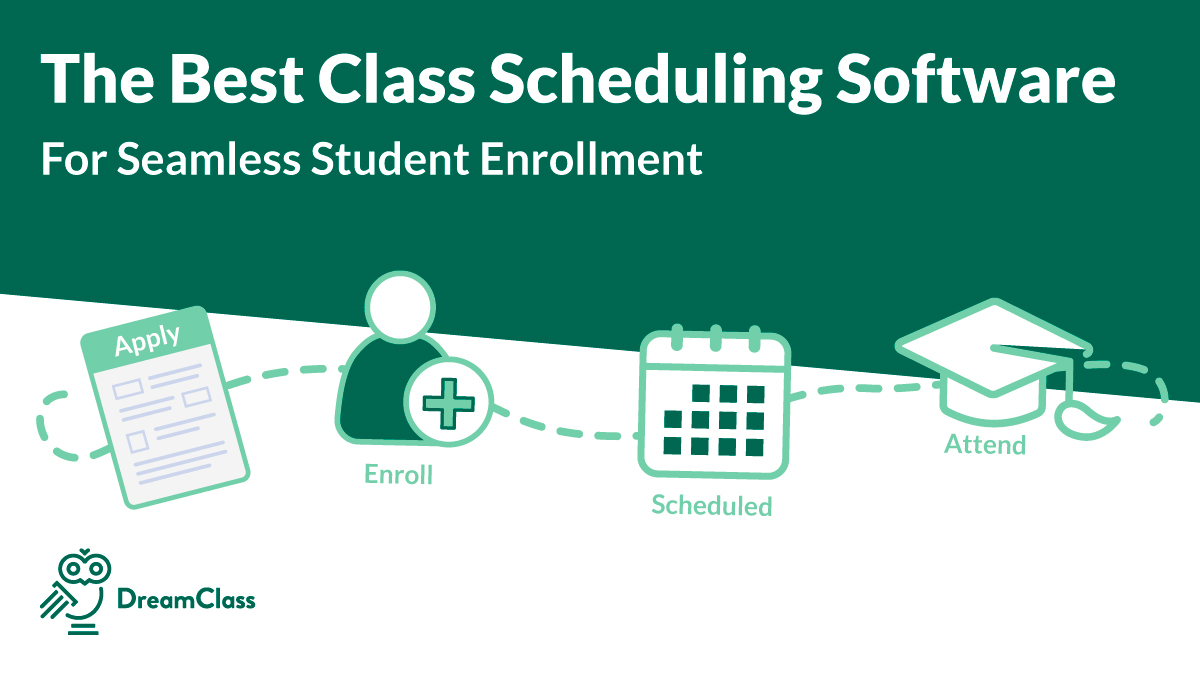
Attendance is logged against specific class sessions, so administrators can track participation patterns over time and identify students who’ve missed multiple weeks. Teachers communicate with enrolled families directly from their class list, without building a separate contact spreadsheet or manually collecting email addresses. Enrollment counts update in real time, which is especially useful during the registration period when classes are filling quickly.
Denna Walker, who handles day-to-day operations at Anchor Enrichment, named student schedule visibility as one of the features her team relies on continuously.
“The student schedule, knowing where students are supposed to be when they’re on campus, the parent contact information,”
she said, describing the operational layer DreamClass provides.
That connection between schedule, attendance and communication is where hybrid programs recover the most administrative time. Each piece reinforces the others. Administrators spend less time acting as the relay point between families, teachers and records, because the platform carries that information automatically.
Is DreamClass Schedule Management Right for Your Hybrid Homeschool Program?
Choosing the right homeschool class scheduling software starts with your program’s size and complexity. And DreamClass works well for co-ops that have outgrown shared spreadsheets and group messaging. Specifically, if you’re managing 20 or more students across multiple recurring sessions, need parents and instructors to access current schedules without going through an administrator every time, and want changes to propagate without a manual notification process, the platform handles all of that reliably.
On the other hand, if you’re running an early-stage or informal group with fewer than a dozen students and a simple two-class lineup, the platform will offer more structure than your current needs require. But for a growing hybrid program, particularly one using ESA funding or building toward a more formal operating model, scheduling in DreamClass earns its place from the first term.
Anchor Enrichment’s experience illustrates how that transition plays out in practice. They grew significantly after switching to DreamClass, and schedule management scaled with them because the platform was built for exactly the kind of multi-level, a la carte structure that defines a serious hybrid co-op.
What’s next?
See how DreamClass helps hybrid homeschool programs manage student schedules, class rosters and family communication in one organized system. See DreamClass for Co-Ops
DreamClass
My experience with DreamClass has been amazing. They are quick to fix any issues and offer any support that we need. DreamClass is the best thing that could have happened.
Administrative Assistant Consumer services
Related Reads
More resources for hybrid homeschool administrators and co-op leaders:
FAQ
Frequently Asked Questions
About Hybrid Homeschool Student Schedules
What is a hybrid homeschool program?
A hybrid homeschool program combines home-based instruction with scheduled group classes at a co-op or learning center. Students typically attend campus sessions two to four days per week for core academics, enrichment classes, or both. At the same time, parents handle the remaining instruction at home. Most hybrid programs operate on an a la carte model, where families select the specific sessions that fit their child’s needs, rather than following a fixed class assignment.
How do hybrid homeschool programs typically manage student schedules?
Many co-ops start with shared spreadsheets and communicate schedule information through email chains, group texts, or social media groups. As enrollment grows, those tools create consistent friction: outdated information, parent questions that should be self-service, and administrative time spent re-sending data. Programs that scale successfully, usually transition to a centralized school management platform, where the schedule is always current and accessible to families directly.
Can DreamClass handle both recurring and one-time class sessions?
Yes. DreamClass supports two session types: recurring lessons, which repeat automatically on a set day and time each week, and one-time lessons, scheduled for a specific date. Both types appear on the same centralized timetable. So, parents and students always see a complete view of upcoming sessions in one place, without needing to check separate calendars for regular classes versus special events.
Parent-related:
How do parents access their child’s schedule in DreamClass?
Parents log into the parent portal and can view their child’s full timetable directly. The schedule reflects changes in real time. So, families always see the current version without contacting the administrator for updates. This is one of the most commonly cited benefits among hybrid co-ops using the platform, particularly programs that previously relied on emailed printouts or shared documents that quickly went out of date.
Does DreamClass scheduling work for ESA-funded homeschool programs?
Yes. DreamClass connects scheduling with enrollment and invoicing, which supports the documentation requirements that ESA-funded programs typically need to meet. Anchor Enrichment, a hybrid co-op in Arizona that operates on ESA funding, uses DreamClass to manage their scheduling and billing records and has maintained a consistent invoicing approval record since switching to the platform.