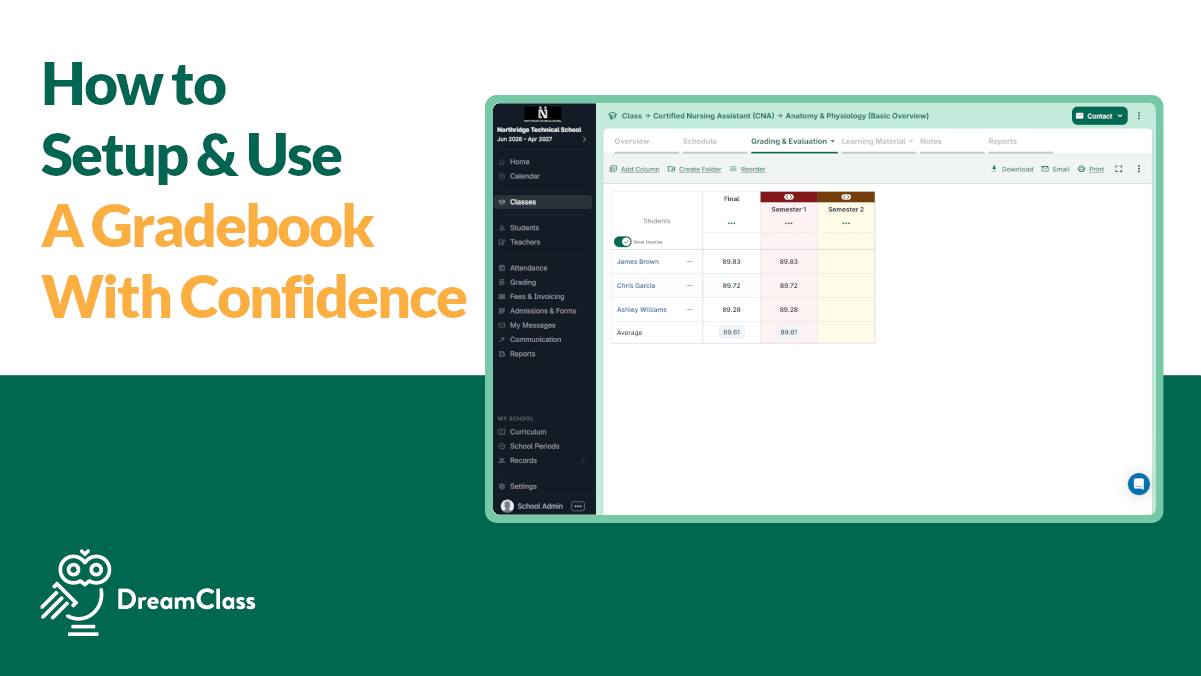
If you want to calculate grades the same way every time, no matter which teacher enters the scores, you need to understand the math running underneath your gradebook. DreamClass does not guess at a final grade. It applies a fixed formula to whatever you enter, whether that is a percentage, a raw point score, or a mix of both across a whole term. This article walks through exactly how that math works, so you can trust the number your gradebook shows before it ever reaches a report card.
Key takeaways
- Every entry, whether a percentage or a point score, gets converted into a percentage before any weighting is applied.
- A column’s assigned weight, not its raw score, decides how much it influences the final result.
- Point-based items carry more or less influence depending on their maximum value, not the points earned alone.
- Folder and term totals are built the same way, by combining weighted results one level at a time.
- The calculated percentage is separate from any letter grade or GPA value that gets displayed afterward.
What Does “Calculate Grades” Actually Mean in DreamClass?
If you take a close look at it, every gradebook in DreamClass is built from three parts. These include folders, columns, and weights. A folder is a category, such as “Quizzes”, “Tests”, or “Term 1”. A column is a single graded item inside that folder, such as a quiz or a project. Each column uses one of two scoring types. So, it’s either a percentage grade out of 100, or a point grade with its own maximum value.
DreamClass reads both types the same way when it works out a final number. It converts every entry into a percentage first, then it applies the weight you assigned. That single conversion step is what lets a school mix percentage-based quizzes with point-based projects in the same folder. And it does that without breaking the math.
How Does DreamClass Calculate Grades by Weight?
In short, DreamClass multiplies each column’s percentage by the weight you assign it, then combines those weighted values into one final number. Weight is the setting that tells DreamClass how much a column or folder should count toward the final grade. If you leave every column at an equal weight, DreamClass simply averages them. If you raise the weight on, say, a midterm exam, that column pulls harder on the final number even though it is still one entry among several.
Say a folder holds three columns. In that scenario, quizzes are weighted at 10 percent, homework at 20 percent, and the midterm at 70 percent. So, a student who scores 90 percent on quizzes, 85 percent on homework, and 70 percent on the midterm ends up much closer to 70 than to 85. And that’s because the midterm carries most of the weight. This is exactly why the “Mastering the Gradebook” video keeps returning to the weight section. Get that setting wrong, and the final grade will not reflect what actually happened in class.
How Does DreamClass Calculate Grades Based on Points?
Point grades are converted into a percentage before anything else happens, using each item’s maximum value to set how much it counts. Point grades work differently from percentages, because the maximum value of each item, not just the score, determines its impact. DreamClass converts point grades into a percentage, using this formula:
Average percentage = (sum of all grades earned) divided by (sum of maximum points, divided by 100)So, for example, imagine one assignment worth a maximum of 50 points and another worth a maximum of 100 points. A student who earns 40 points and 90 points respectively, doesn’t simply get an average as two equal numbers. The 100-point assignment carries twice the weight of the 50-point one in the final calculation, because its maximum value is twice as large. This is why DreamClass asks for a maximum point value up front. Skip that step, and the system has nothing to calculate grades based on points accurately.
How Does DreamClass Calculate Test Grades Inside a Folder?
Once individual columns are scored, DreamClass rolls them into a folder average using this formula:
Folder average = (sum of grades multiplied by weight) divided by (sum of weights)So if you want to calculate test grades for a folder that only contains exams, DreamClass adds up each exam’s weighted contribution, then divides by the total weight assigned across that folder. Two quick tools speed this up in daily use. Quick fill lets you apply the same grade to an entire class in seconds, useful for attendance-linked participation grades. “Clone” practically duplicates a folder’s structure and settings for the next term. So, you’re not rebuilding the same weight configuration every quarter.
How Does DreamClass Calculate Grades Average Across a Term?
A term grade isn’t one folder. It’s usually several, Quizzes, Homework, Tests, and Participation, each with its own weight, relative to the others. DreamClass calculates the average across a term the same way it calculates a single folder average, just one level up. Each folder’s own weighted result becomes an input into the term-level formula, weighted again according to how much that category should count toward the report card.
This is also where terms and final grades come in. Teachers work inside the teacher gradebook throughout the term. Then, they copy that data into the terms and final grades section, once the grading period closes. That step locks the numbers in place for the quarter. So, a grade cannot shift after report cards go out.
How Does DreamClass Calculate Grades Percentage for Report Cards?
The number DreamClass produces at this stage is a raw calculated percentage. It comprises entirely from weights, points, and folder averages. Whether that percentage later displays as a letter, a GPA value, or a plain number depends on a separate grade mapping setting in your school’s configuration, not on the calculation itself. That mapping question is worth its own conversation. Here, the point is simpler. Before any letter or GPA conversion happens, DreamClass has already done the underlying math. And that math is fully driven by the weights and points your staff configured.
Does DreamClass Also Convert That Percentage Into a Letter or GPA?
Yes, indeed. Once the calculation is done, DreamClass can translate the resulting percentage into a letter grade, a GPA value, or both. That is, using whatever grade mapping your school sets up under “terms and results”. That translation layer is a separate setting from the math covered here, so we keep it brief in this article.
What Happens When You Mix Percentage and Point Grades in the Same Folder?
DreamClass allows this, but it depends on accurate maximum values. If you set a column’s maximum point value incorrectly, a student can appear to score above 100 percent. Which actually signals a setup error rather than an actual achievement. Correcting the maximum value, not the entered score, fixes the calculation going forward. Because DreamClass lets you switch a column between percentage and point grading after the fact, mistakes like this are simple to repair. All, without re-entering every score by hand.
How Do Schools Rely on DreamClass’s Grade Calculation Day-to-Day?
Administrators managing private schools, new school launches, structured homeschool groups, and vocational programs all lean on the same underlying formulas. They just need the setup to be dependable.
Stellar Support and Product
The features are user friendly and easy to learn. The design of the app is intuitive, making it an efficient system in organizing a large amount of student information.
Assistant Program Director of Educational Support ServicesEducation management
SImple, easy, and affordable!
I like how easy it is to use and navigate. Clean interface and great functionality.
Director and OwnerEducation management
Great features, amazing support
amazing! it’s exactly what we need at an affordable price. where i run into a problem the support is personalized, fast, specific, and extremely helpful.
AdminEducation management
Whether you run a single classroom or oversee several intakes at once, the goal stays the same. You want to calculate grades once, correctly. And, of course, trust the number every time it appears again on a transcript or a parent login.
See Your Own Weights and Points in Action
Reading the formula is one thing, watching it run on your own folders and columns is another. Book a free demo and we’ll walk through your weighting setup together.
Related Reads
FAQ
Frequently Asked Questions
How does DreamClass calculate grades when a folder mixes percentages and points?
It converts every entry into a percentage first, then it applies the weight you assigned. That single conversion step is what lets a school mix percentage-based quizzes with point-based projects in the same folder, without breaking the math.
How does DreamClass calculate grades by weight?
In short, DreamClass multiplies each column’s percentage by the weight you assign it, then combines those weighted values into one final number.
How does DreamClass calculate grades based on points?
Point grades are converted into a percentage before anything else happens, using each item’s maximum value to set how much it counts. So: Average percentage = (sum of all grades earned) divided by (sum of maximum points, divided by 100)
How does DreamClass calculate a folder average?
It’s quite simple: Folder average = (sum of grades multiplied by weight) divided by (sum of weights)
Does DreamClass calculate grades percentage before or after converting to a letter grade?
Before any letter or GPA conversion happens, DreamClass has already done the underlying math, and that math is fully driven by the weights and points your staff configured.