Tracking teacher hours is one of the most overlooked, yet critical processes inside a growing school.
This action of tracking teacher hours should begin when a class is delivered; not when payroll is processed. That way, when scheduling, attendance, and pay rates connect inside one system, schools can calculate teacher payments automatically, reduce disputes and gain financial clarity.
Now, whether you run a private K–12 school, a homeschool collective, or a vocational institute, you eventually face the same question: How do we accurately track who taught what — and pay them correctly?
At first, spreadsheets seem enough, and that’s probably a fact. However, as your classes multiply and teachers deliver lessons across different programs, manual tracking becomes risky. Hours get missed. Maybe payments get delayed. But, one thing is for sure: Trust erodes.
So, how can you simplify Tracking teacher hours, while keeping everything transparent and professional?
▶️ Watch the video:
0:01 Hi there! This is Lida from DreamClass and in this video I want to explain a little bit more about how we can track our teachers clocked hours and what kind of recordings do we offer.
0:14 So first up is to understand a little bit more about how to set up some lessons. This is an important step because These hours are going to help us to calculate how many teaching hours Sabrina literally delivered for this specific course, which is called religion.
0:34 So if you go to the teachers, uh, Sabrina in this case, she has a report section. The report section has A detailed list of classes, you can use this to view only let’s say her classes from April till June and you can see over here that they’re all lined up.
0:54 So the one I am interested in is the second, uh, the second grade religion class. So if you look at this list, there’s the class second grade religion and we have 0, 22 and 0 in 0 minutes.
1:11 So these The columns represent the completed, the scheduled, which is the classes lined up for a religion, cancelled and completed in hours.
1:21 So now we’re going to track the attendance of my students, and I’m going to mark this class as completed so you can see what happens when we do that.
1:31 So let’s switch to Sabrina. So this is the teacher’s view, and teachers can track attendance into DreamClass. So if I go to tomorrow, you can see that I’m delivering 9-11 religion.
1:46 So in this hypothetical scenario, I’m a brain of the teacher, and I use the attendance tracking, and I mark the students as present.
1:55 I don’t know if you noticed this or if I did it really quickly, so I’m gonna do it one more time.
2:00 When you track attendance, the class This specific 1911 lesson, as we call it, which is a class. The default status is scheduled.
2:11 So when I track the attendance, that inherently, um, is implied that I delivered this class as Sabrina. So what does that mean from the perspective of my hours of class?
2:29 Back into the teacher reports, and if you noticed, the second grade religion, instead of now having, um, zero completed classes, it says three and six hours in total.
2:44 How can we use that now, this mechanism to actually mark? A financial payment perhaps. So, understanding that is important and now let’s see what can we do about the fees.
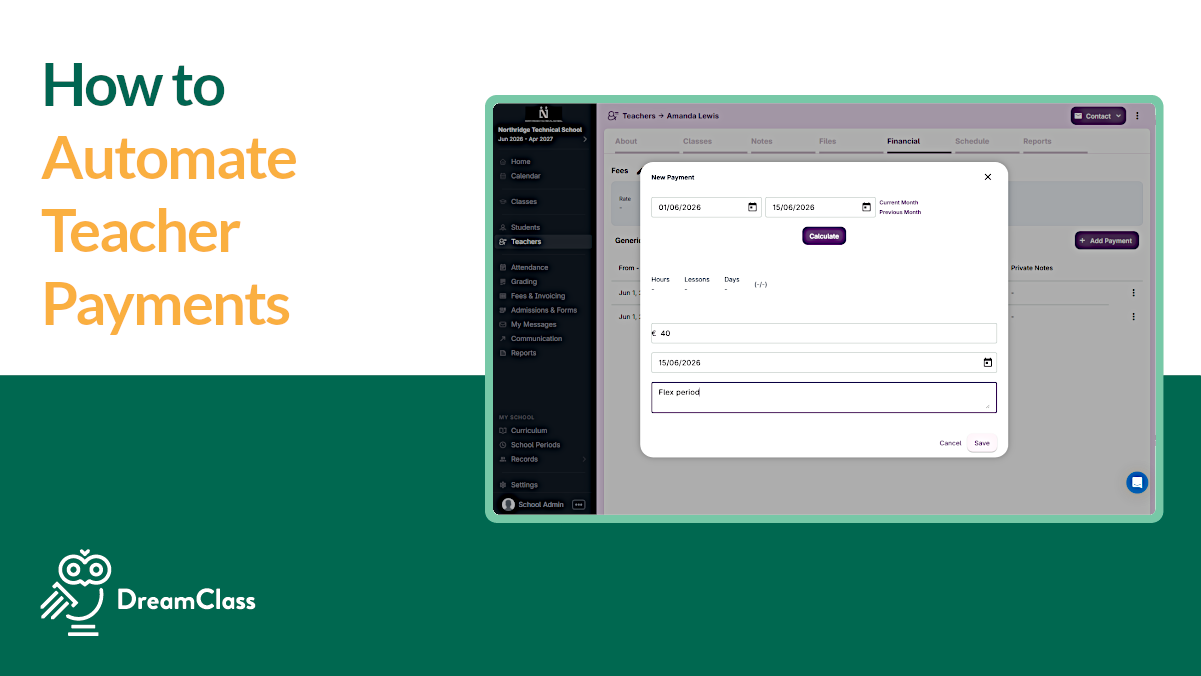
2:58 Our system offers an option to add a rate per hour, per lesson, or per day. So, if this works correctly, we should be making payment to Our teacher for May because she has delivered some classes during that window.
3:18 And if you click calculate, DreamClass gave you six hours, right? Times, um, 30, which is her rate, 90. So you can say here that we have, um, made this payment or this is the calculation.
3:39 Now that’s how DreamClass offers that capability. If you have any other requests or interested in an enhancement of this feature, please let us know, or just contact support at DreamClass.io if you have any questions on how to use this functionality.
3:56 Thank you for watching. Have a beautiful day.
Why Is Tracking Teacher Hours So Important for Schools?
Alright. So, tracking teacher hours is not just about payroll. It directly affects:
- Financial accuracy
- Teacher satisfaction
- Administrative clarity
- Institutional credibility
For private school administrators, this means fewer disputes about “how many hours were actually taught.” For new founders, it means no more guessing tuition allocation versus payroll. And for homeschool collectives, it means seeing clearly who showed up to teach and what was delivered. Meanwhile, vocational school directors may need structured reporting that supports audits and accreditation.
In short, if you cannot track hours properly, you cannot scale responsibly.
What Makes Manual Teacher Payroll Risky When Tracking Teaching Hours?
Most schools start with a shared spreadsheet. Initially, it works. Then reality hits:
- Teachers reschedule classes
- Lessons get canceled
- Attendance varies
- Different teachers have different rates
- Monthly summaries take hours to calculate
As a result, administrators spend evenings double-checking numbers. Even worse, small miscalculations can damage trust.
A reliable teacher payroll software solution eliminates that uncertainty. Instead of counting hours manually, the system should calculate them automatically based on actual delivered lessons.
How Can a School Payroll Management System Automate Tracking Teaching Hours?
A modern school payroll management system should connect three essential elements:
- Scheduled lessons
- Attendance tracking
- Teacher rate configuration
Here is how tracking teacher hours works when done properly:
First, lessons are scheduled inside the platform.
Second, teachers mark attendance when the class is delivered.
Third, the system converts completed lessons into total teaching hours.
Finally, it multiplies those hours by the teacher’s defined rate.
Therefore, the moment attendance is confirmed, the system recognizes that the class was delivered. No separate time sheet is required.
This structure ensures you can calculate teacher payments automatically, without extra paperwork.
How Do You Calculate Teacher Payments Automatically While Tracking Teacher Hours?
To calculate teacher payments automatically, the system must allow flexible rate settings. Schools typically pay teachers in one of three ways:
- Per hour
- Per lesson
- Per day
Once you define the rate, completed teaching hours are multiplied accordingly. Consequently, monthly payroll becomes a one-click calculation instead of a manual reconciliation process.
For example, if a teacher delivers six hours in May and their rate is $30 per hour, the system instantly calculates $180. No formulas, no recalculations and no errors.
Moreover, administrators can filter reports by date range, teacher, or course. That level of visibility transforms tracking teacher hours from a reactive task into a proactive management tool.
What Should You Look for in Teacher Payroll Software for Tracking Teacher Hours?
Well, not all teacher payroll software solutions are built for schools. Some are generic HR tools. Others require complex setup.
When evaluating a school management system for teacher payments, look for:
- Automatic conversion of completed lessons into hours
- Flexible rate assignment (hourly, lesson-based, daily)
- Clear teacher reports
- Date-range filtering
- Transparent payment history logs
- Integration with attendance records
Equally important, the system should not require IT expertise. Founders and administrators need tools that simply work.
How Does Tracking Teacher Hours Improve School Operations Long Term?
Tracking teacher hours does more than support payroll.
It improves:
- Budget forecasting
- Workload distribution
- Teacher accountability
- Financial transparency
For instance, administrators can quickly see how many hours each teacher delivered in a term. If one instructor carries excessive workload, adjustments can be made. Similarly, canceled lessons become visible, helping leadership detect scheduling inefficiencies.
In addition, teachers gain confidence. They can view their completed hours and understand how payments are calculated. That transparency reduces back-and-forth emails and strengthens professional trust.
Is Tracking Teacher Hours Scalable for Growing Schools?
Yes, but only if it is automated.
As your school grows from 30 students to 200, manual processes collapse. What worked for two teachers does not work for twenty.
A scalable school payroll management system centralizes:
- Class scheduling
- Attendance confirmation
- Hour aggregation
- Payment calculation
Because all elements live in one platform, scaling does not increase administrative chaos.
How Is Tracking Teacher Hours Different From Generic Payroll Software?
Generic payroll platforms focus on salaries, tax forms, and compliance filing. However, they rarely understand how schools actually operate.
For example, they do not connect:
- Scheduled lessons
- Attendance confirmation
- Hour aggregation
- Academic reporting
As a result, administrators must still calculate teaching hours separately before entering payroll data.
By contrast, a school payroll management system designed for education, links classroom activity directly to payment logic. When a lesson is marked complete, tracking teacher hours updates automatically. Therefore, payroll becomes a natural extension of academic activity, not a disconnected HR task.
Bringing It All Together: Why Tracking Teacher Hours Builds Trust
Tracking teacher hours should not feel like detective work.
Instead, it should be automatic, transparent, and connected to real classroom activity. When lessons are marked complete, hours should update. When hours update, payments should calculate. And when payments calculate, everyone should see clear reports.
If your current process involves multiple tabs, late-night math, or payment corrections, it may be time to rethink how your school management system for teacher payments is structured. And remember:
Accurate hours lead to accurate payroll.
Accurate payroll builds trust.
And trust builds sustainable schools.
FAQ
Frequently Asked Questions
How do schools usually track teacher hours?
Most small schools begin with spreadsheets or manual time sheets. However, these methods often create calculation errors and require constant verification.
Can a school management system calculate teacher payments automatically?
Yes. When attendance confirmation is tied to scheduled lessons and predefined rates, the system can calculate teacher payments automatically based on completed teaching hours.
What is the difference between teacher payroll software and a school payroll management system?
Teacher payroll software may only process payments. In contrast, a school payroll management system connects the tracking of teacher hours to scheduling, attendance, reporting, and academic records, in one centralized workflow.
How can Tracking Teacher Hours reduce payroll disputes?
When hours are generated from confirmed lessons rather than manual time sheets, both administrators and teachers can see transparent records. Consequently, disagreements about “how many hours were taught” decrease significantly.
Is Tracking Teacher Hours important for compliance and audits?
Yes. Accurate hour records support internal audits and may assist with digital payroll compliance guidelines. Schools operating under regional labor standards should maintain clear, exportable reports for accountability.
What is the best school software with automatic staff hours tracking?
The best option connects scheduling, attendance, and pay rates in one platform, automatically converting completed lessons into hours and payments. DreamClass offers this functionality, eliminating manual time sheets and reducing payroll calculation errors.