If your school needs to automate school attendance, the goal is bigger than faster roll call. You want less admin drag, fewer mistakes, cleaner records, and quicker family follow-up when something needs attention. For many private schools, new K-12 schools, and vocational programs, that shift starts when spreadsheets, paper forms and scattered inboxes stop working.
Most school leaders are not shopping for software, just for fun. They want fewer repetitive tasks, quicker reporting, and a school day that feels more under control. That is why attendance, reports and messaging should be treated as one operational system, not three separate problems.
Key takeaways
- Attendance, reports, and messaging should be treated as one connected operational system, not three separate problems. That’s because disconnected data is the common source of all three failure points.
- When data moves automatically from attendance entry into student records, reports, and parent notifications, schools eliminate the duplicate entry that causes small mistakes to compound across the week.
- Schools that try to fix reporting before fixing data flow, get cleaner-looking results from the same unreliable inputs. Consistent data entry must come first.
- The highest-value attendance features are not the most advanced ones. They’re the ones teachers will actually use every day, which means simplicity drives adoption more than feature depth.
- Adding another point solution to a fragmented stack often increases friction rather than reducing it. A unified platform becomes the better option, once the cost of switching between tools exceeds the cost of consolidation.
- A low-risk automation rollout starts with the single workflow causing the most repeated stress, usually attendance entry and parent follow-up, rather than attempting a full system change at once.
- Manual reporting forces capable staff to act as data clerks. Automated reporting redirects that time toward follow-up, support and decisions that actually require human judgment.
Table of contents
- Why should schools automate attendance, reports and messaging together?
- What does automating school attendance look like in a real school?
- How does automating school attendance reduce admin work for private schools?
- What should schools look for when they automate school attendance?
- Which features matter most for attendance, reporting, and messaging automation?
- What are the best software solutions to automate school attendance?
- What are the best attendance tracking systems for K-12 schools?
- How can schools automate school reports without creating more work?
- Which tools help schools compare reporting options?
- How to create automated school reports from student data?
- How to integrate automated attendance systems with existing school management platforms?
- What are leading software platforms for automating student progress?
- Why do schools often choose one platform instead of separate tools?
- What does a low risk rollout plan look like when you automate school attendance?
- Why does DreamClass fit schools that need to automate school attendance, reports, and messaging?
- What should schools do next if they want to automate school attendance?
- See how to automate school attendance, without piling on more admin work
- Related Reads
- FAQ
Why should schools automate attendance, reports and messaging together?
Schools usually feel the pain in one place first. A teacher forgets to submit attendance. An administrator loses Friday afternoon to manual reports. A parent says they never saw the absence email. Still, those problems usually come from the same source: disconnected data.
And, of course, when one tool handles attendance, another stores grades and a third sends messages, staff end up copying information across systems. As a result, small mistakes spread quickly. A missing mark becomes a missing report. A delayed update becomes a delayed family response. And, over time, trust in the records drops.
For lean teams, this is a serious problem. A private school administrator needs one place to check who was here, print progress, and send school messages. A new founder needs a system that works without a long setup project. A vocational school director needs a clean overview of who showed up, who completed hours, and who still needs follow up.
What does automating school attendance look like in a real school?
To automate school attendance in a way that actually helps, a school needs more than a digital register. It needs one workflow that starts with quick attendance capture and flows straight into reporting and communication without extra reentry. In practice, that means teachers can mark attendance in class, admins can review exceptions, and guardians can receive updates without someone building the same workflow from scratch every day.
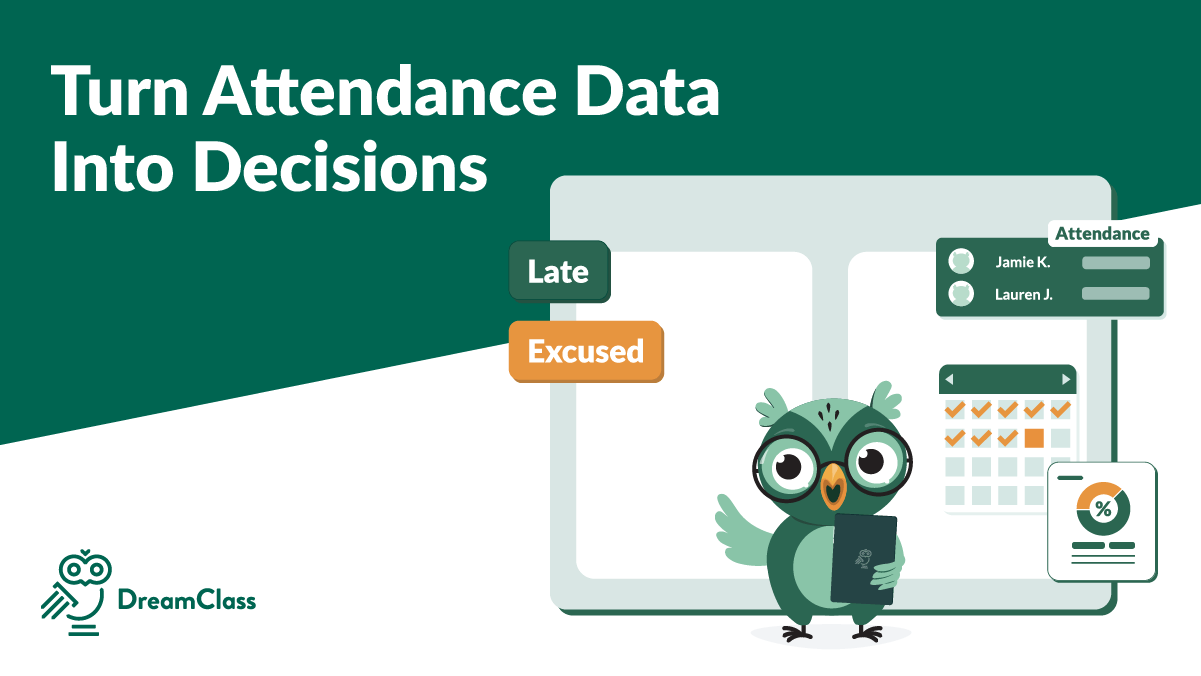
A strong setup usually includes attendance statuses such as present, late, excused absence, and unexcused absence. It also connects attendance to student records, teacher views, and parent visibility. Because of that, office staff do not have to chase information across different tools.
DreamClass supports that kind of workflow. with attendance recording by teachers and admins, retrospective editing, real time visibility, automatic attendance reports, and parent notifications through its student management, academic management, and communication alerts features.
Educational Programs will LOVE DreamClass!
DreamClass allows our educational program to have a one-stop solution for registration, attendance, communication, gradebook, and calendar events! It has been a huge blessing to Anchor Enrichment Academy and we have enjoyed the setup process.
Director Education management
How does automating school attendance reduce admin work for private schools?
The biggest win is not speed, alone. It’s also consistency. When schools automate school attendance, they remove dozens of tiny manual tasks that quietly eat time every week. Teachers do not need to keep side notes for the office. Administrators do not need to merge lists before parent meetings. Leaders do not need to wonder whether the latest report pulled from the latest version, or not.
This matters even more in schools where one person wears several hats. In many small schools, the same person may handle admissions, family communication, fee follow up, and reporting. Therefore, every repeated task has a real cost. If attendance flows into student files and report templates automatically, the team can spend more time responding to issues and less time assembling data.
It also improves response time. When a family gets a timely update, the school can address patterns earlier. When a student profile already includes attendance, grades, assessments, and notes, staff can prepare for a meeting in minutes, not hours.
What should schools look for when they automate school attendance?
Before a school buys software, it should look past the feature grid and ask a simpler question: does this system make daily work lighter? A school may see a long list of tools, but only a few actually make the work lighter for teachers, admins, and families.
First, the platform should support flexible attendance capture. Some schools need daily attendance. Others need class level or lesson level tracking. Vocational programs may also need a clean view of training hours and overlapping cohorts. If the platform cannot match the school day, staff will create workarounds.
Second, the platform should connect attendance to reporting. This is where many tools fall short. Schools do not just need to mark presence. They need records they can review, export, print, and trust. That is why automating school reports is not a separate buying question. It is part of the same system choice.
Third, the platform should support messaging tied to real events. A useful alert is not just a broadcast message. It is a timely note connected to an absence, a late arrival, a missing update, or an upcoming deadline. Communication should feel built in, not bolted on.
Fourth, the platform should be easy for teachers to use. If teachers avoid it, the workflow breaks. Simplicity matters more than flashy complexity. In most schools, the winning tool is the one people actually use every day.
Which features matter most for attendance, reporting, and messaging automation?
When school leaders compare tools, long feature grids can be distracting. The features that matter most are the ones that remove repeated work and make records easier to trust. The goal is not to buy more software. The goal is to run daily operations with less friction and more visibility.
Here are the capabilities that matter most when a school wants one clean workflow across attendance, reports, and communication:
- Fast attendance entry for teachers and admins
- Attendance statuses for present, late, excused, and unexcused
- Real time syncing to student records
- Parent and guardian alerts tied to attendance events
- Auto generated attendance summaries and report cards
- Student and guardian portals for visibility
- Role based permissions for staff
- Class, student, and school level reporting views
- Easy setup for new terms, new intakes, and recurring schedules
Those features matter because they remove the duplicate entry problem and reduce lag between what happens in class and what the school can act on later. Just as important, they help teams trust what they see on screen. When a founder, administrator, or program director can open one student file and see attendance, performance, notes, and communication history together, decisions get easier.
What are the best software solutions to automate school attendance?
Schools comparing the best software solutions to automate school attendance should not start with brand popularity alone. They should start with fit, because the wrong system creates a cleaner-looking mess rather than less work. A useful shortlist usually includes all-in-one school management platforms, attendance first tools, and larger enterprise systems. However, the best option depends on how much work the school wants to remove from its current process.
For most private and growing schools, the strongest option is an all in one platform that combines attendance, student records, reports, scheduling, and messaging. That is why many buyers start by comparing platforms built as full school management software rather than stand-alone tools. That reduces the need for duplicate entry and lowers the chance that staff will work from different versions of the data. For schools that already use several separate tools, this is often the point where automation in schools stops being a buzzword and starts becoming a daily operational advantage.
DreamClass stands out for schools that want attendance management, academic management, student management, parent access, reporting, scheduling, and communication in one place. Schools that are still evaluating categories often benefit from first understanding what a student information system actually covers in daily operations. It is especially relevant for lean private schools and vocational programs that want structure without an enterprise style rollout.
What are the best attendance tracking systems for K-12 schools?
When leaders ask “what are the best attendance tracking systems for K-12 schools?”, they usually mean something more specific. They want to know which systems are easy for teachers, clear for admins, and useful for parents; don’t they? They also want to know whether the system helps them act on attendance data, instead of simply storing it.
For K-12 schools, a strong attendance system should support daily classroom use, parent alerts, quick reporting, and a simple path from attendance to student follow up. It should also connect with gradebooks, schedules, and student profiles. Otherwise, the school ends up building a half manual process around a digital tool.
DreamClass is a strong fit here, because teachers can take attendance directly, admins can review and edit records, parents can view attendance data, and reports can be generated without rebuilding the same file again and again. For K-12 teams specifically, you might look at DreamClass for K-12 schools to get a closer look at how that workflow fits a private school environment. That is especially useful for schools that want one login, instead of several disconnected tools.
How can schools automate school reports without creating more work?
Grades and attendance are usually the two data points every school report depends on most. Many schools try to fix reporting before they fix data flow. That is backwards. If data enters the system in scattered ways, reports will always take longer than they should. Therefore, schools that want to automate school reports need a reporting process that starts with consistent inputs.
That means attendance codes should be standardized. Gradebooks should follow shared rules. Notes should live inside student records, not only in personal files or email chains. Once those basics are in place, report templates become much easier to generate and trust.
DreamClass supports this by combining attendance data, gradebooks, assessments, transcripts, and report cards in connected student records. That is also why schools exploring better reporting often compare it against guides on customizable report generation for school administrators. Because of that, schools can create progress views and printable summaries without piecing data together from multiple apps.
Which tools help schools compare reporting options?
Grades and attendance are usually the first two data sets buyers want a reporting tool to handle well. During evaluation, buyers often search for the best software tools to automate school report generation, because they want fewer custom exports and less manual formatting. That is the right instinct. Good reporting software should pull from live student data, follow shared templates, and stay readable for staff and families.
A practical school reporting tool should help users create attendance summaries, report cards, performance snapshots, and official records from the same source of truth. It should also support different user needs. Teachers need speed, administrators need oversight, families need clear updates, and leaders need a reliable school wide view.
If the system handles those needs without making setup heavy, it becomes much easier to scale reporting as enrollment grows.
How to create automated school reports from student data?
For many teachers, the goal is simply a teacher easy grader that turns scores into a finished report quickly. Buyers also ask how to create automated school reports from student data. The answer is simple, but it requires discipline. Start by centralizing student records. Then standardize how teachers enter attendance, grades, and comments. After that, build report templates around the data the school actually reviews each term.
Next, connect those templates to recurring workflows. A school may want term end report cards, weekly attendance summaries, or student progress snapshots, before family meetings. Once the schedule and template logic are clear, staff can review exceptions, instead of building every report by hand.
That shift is important. Manual reporting forces good staff to act like data clerks. Automated reporting lets them focus on support, follow up, and decision making.
How to integrate automated attendance systems with existing school management platforms?
One of the most common buying questions is How to integrate automated attendance systems with existing school management platforms. The right answer depends on how fragmented the current setup already is. If the school already uses one strong platform for records, adding attendance automation may make sense. However, if attendance, gradebooks, messaging, and scheduling all live in separate places, adding one more tool can make the problem worse.
A better approach is to map the current workflow first. Where is attendance entered? Where is it reviewed? Who needs to see it? Which reports depend on it? Which messages are triggered from it? Once those handoffs are clear, the school can decide whether integration is worth the effort or whether a unified platform would remove more friction.
For many growing schools, one platform is easier to maintain than a stack of partially connected tools. Schools working through that transition often benefit from practical advice on automation in schools before choosing the right rollout path. That is especially true when the team is small and there is no dedicated IT lead.
What are leading software platforms for automating student progress?
Another high intent question is: ”What are leading software platforms for automating student progress”. In practice, leaders want platforms that connect attendance, assessments, grades, notes, and communication, so that staff can see the full student picture quickly.
At its core, a teacher easy grader is what most instructors actually want from a progress platform. A strong progress tracking platform should help schools monitor class performance, create gradebooks, store assessments, generate report cards, and give teachers and administrators a shared view of what is happening. It should also be simple enough that staff keep it current.
DreamClass supports progress tracking through academic management, gradebooks, assessments, report cards, transcripts, student profiles, and portals for teachers, students, and guardians. That combination matters, because progress is easier to understand when it is connected to attendance and communication, not stored in isolation.
Why do schools often choose one platform instead of separate tools?
Separate tools can work for a while. In fact, many schools start there. One tool handles class communication. Another stores grades. Another tracks attendance. Then, growth changes the math. Once the school adds more students, more instructors, more classes, or more reporting demands, the cost of switching between systems becomes harder to ignore.
An all-in-one platform reduces duplicate entry, simplifies training, and gives the school a clearer operational view. It also helps schools move faster when a family needs an answer, a teacher needs context, or leadership needs a report. Keeping grades and attendance in the same platform is often what makes that speed possible.
Thank you for making my tasks easier!
I like that is makes my job a lot easier compared to all the data entry and emails I used to send most are automated now. Instead of using 2-3 different platforms to collect student registration, collect payment and make contact with parents, all 3 of these are done in one place. The Dreamclass team has been so helpful!!!!!!!!!!!!
Office Assistant Education management
This is one reason DreamClass appeals to schools that have outgrown spreadsheets, but do not want enterprise complexity. Vocational teams can also compare that fit, with DreamClass for vocational schools. It offers enough structure to support growth, while still staying practical for lean teams.
What does a low risk rollout plan look like when you automate school attendance?
A good rollout is usually smaller than schools expect. To automate school attendance well, do not try to change everything on day one. Start with the workflow that causes the most repeated stress. For many schools, that is attendance entry and parent follow up.
Then, clean up the basics. Agree on attendance codes. Confirm who enters what. Set report templates early. Decide which messages should happen automatically and which should stay manual. Once that foundation is stable, add more reporting and broader communication workflows.
This staged approach works because staff confidence grows with each visible win. Teachers see that attendance takes less time. Administrators see that reporting gets easier. Families see faster updates. As a result, adoption improves without a heavy rollout process.
Why does DreamClass fit schools that need to automate school attendance, reports, and messaging?
DreamClass is a strong fit for schools that need to automate school attendance without adding another layer of complexity. Its value is not one isolated feature. It is the way attendance management, student management, academic management, scheduling, portals, and communication work together.
For private schools, that means fewer spreadsheets and cleaner parent updates. Then, for new K-12 founders, it means one place to mark who came in, keep student files organized, and send updates without juggling tabs. And for vocational programs, it means better visibility into attendance, progress, records, and follow up across overlapping groups.
That practical fit also shows up in customer language. One reviewer said, “The features are user friendly and easy to learn.” Another wrote, “DreamClass has made it so much easier for us. It has everything that we need.” A third said it was “Affordable and easy to use while figuring out our needs.” Those comments reflect the same buying priorities that matter most in this category, which are clarity, ease of use, support, and operational relief.
What should schools do next if they want to automate school attendance?
Schools do not need a perfect system map to get started. They need a clear decision process. First, identify where attendance, reporting, and messaging currently break down. Next, decide whether the school needs a point solution or one platform that handles the full workflow. Then, compare options based on ease of use, reporting depth, communication tools, and rollout effort.
The schools that move forward fastest are usually not the biggest. They are the ones that stop tolerating repeated friction. When a platform helps staff check who was here, print progress, and send updates from one place, daily work gets lighter and school operations get stronger.
And for schools ready to move beyond manual work, the next step is simple. Look for a platform that turns attendance into action, reports into ready to use records, and messaging into a consistent part of the school day.
See how to automate school attendance, without piling on more admin work
If your team is tired of spreadsheets, repeat emails and last-minute reporting, this is the point to look at a more connected system. DreamClass gives schools one place to mark attendance, keep student records organized, generate reports, and send updates without stitching together separate tools.Schools evaluating their next step can review pricing, explore onboarding, or visit the contact page to see how the platform fits their school size, workflow and rollout needs.
Related Reads
- Why Your School Needs an Attendance Management System
- School Management Software with Automated Attendance Tracking
- Parent Alerts: Automated Student Attendance Tracking System
- How Does DreamClass Automate Management for Educational Institutions?
- Transitioning to DreamClass: Tips for a Smooth Implementation
- Customer Stories
FAQ
Frequently Asked Questions
What are the best attendance tracking systems for K-12 schools?
The best systems are easy for teachers to use, connect attendance with student records, and include reporting plus parent messaging. For most private K-12 schools, an all-in-one platform works better than separate tools, because staff can check who was here, print progress, and send updates from one place.
How can schools automate attendance without adding more work for teachers?
Schools can simplify attendance by using one system where teachers mark who showed up once, and the data flows into reports, student files, and family updates automatically. That removes repeat entry, cuts follow up work, and makes it easier for school leaders to spot issues early.
Can automated attendance systems send parent notifications?
Yes. Many school platforms can automatically send parent notifications for absences, late arrivals, or other attendance events. This helps schools keep families informed quickly, without staff sending the same message by hand, and it creates a more consistent parent experience.
How do schools create automated reports from attendance and grade data?
Schools create automated reports by keeping attendance, grades, and student records in one place, then using templates to generate summaries, report cards and progress snapshots. The key is consistent data entry before report automation begins, because messy inputs still create messy reports.
Is it better to use separate tools or one school management platform?
For most smaller and growing schools, one platform is easier to manage. It reduces duplicate entries, improves reporting accuracy, simplifies staff training, and gives administrators one place to check attendance, records and communication, without bouncing between tabs.
What’s the best school attendance automation software?
The best option connects attendance directly to student records, reports and parent messaging, instead of working as a standalone tool. DreamClass offers this by combining attendance tracking with academic management and communication features in one connected platform.
How do I centralize attendance and grading?
Centralizing starts with one system where teachers enter grades and attendance once, and that data flows automatically into student records and reports. DreamClass supports this by linking attendance, gradebooks and assessments within unified student profiles, removing the need for duplicate entry.