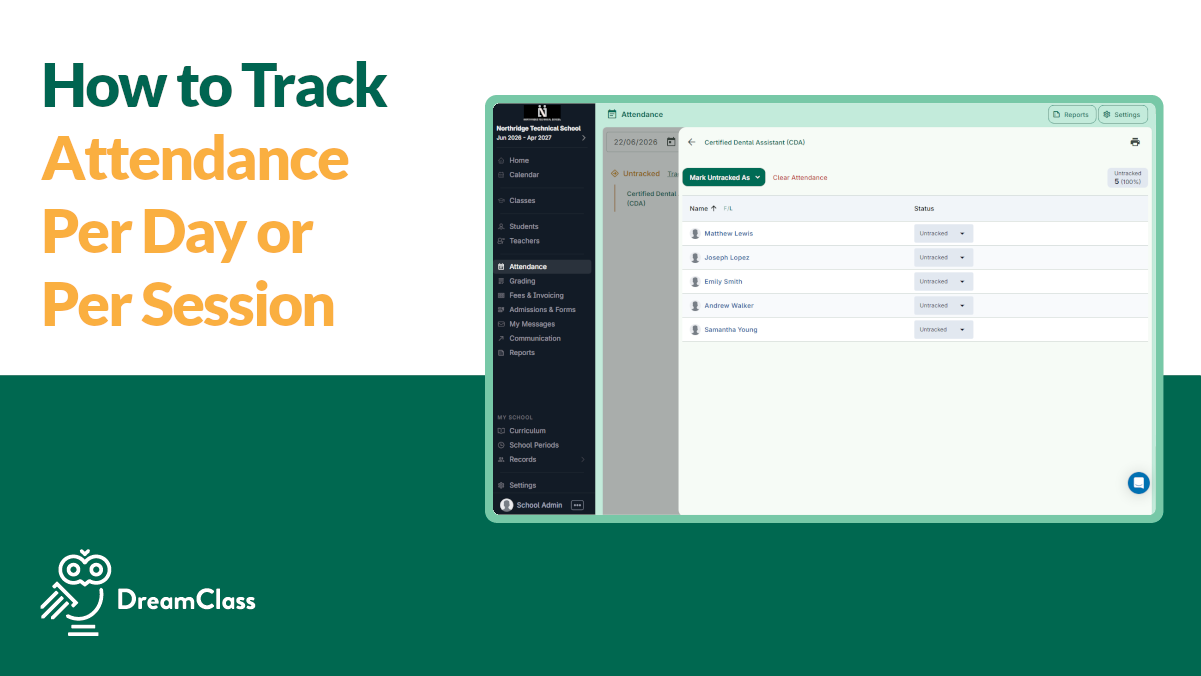
If your team is still checking who showed up to class in one spreadsheet, messaging parents in another app, and trying to remember which class had late arrivals, attendance becomes more work than it should be.
How to track attendance in DreamClass? It’s simple; choose whether your school records attendance by day or by session, mark everyone present in one action, then update only the students who were absent or late. From there, DreamClass keeps attendance visible to the right people and stores it with the rest of your school records.
That’s important whether you run a private school, a homeschool collective or a training center. You need a fast way to check who was here, keep clean records, and stop chasing updates across disconnected tools.
What is DreamClass attendance tracking?
DreamClass attendance tracking is the process of recording whether students were present, absent, or late inside DreamClass, either by day or by class session. It gives schools one place to mark attendance quickly, keep records organized, and share the right information with staff and families.
Why does attendance tracking matter so much for growing schools?
Attendance is not just a daily task. As explained in why your school needs an attendance management system, it affects parent communication, student records, reporting, and operational clarity.
When attendance lives inside DreamClass, teachers can record it directly, admins can update it when needed, and the information is stored centrally, instead of getting buried in paper sheets or chat threads. DreamClass also supports real-time visibility, attendance history, reports, and portal access for relevant users.
That is a big shift for schools that have outgrown manual systems. Instead of asking, Who showed up? Did we already mark this class? Did the family get notified? you have one organized workflow.
Game-Changer for Private Schools
The platform has made managing student records, attendance, and fee tracking much more efficient.
Office managerPrimary secondary education
What do you need to set up before you track attendance in DreamClass?
Before you start recording attendance, make one key decision: Will your school track attendance by day or by session?
DreamClass supports both approaches:
- Attendance for day works best when you want one daily attendance check for all students.
- Attendance for session works best when you want attendance recorded per class, lesson, or subject.
This choice is important, because different schools run differently.
A private K-12 school may want daily attendance for homeroom-style operations. A homeschool collective may prefer session-based tracking, because classes meet on different days. And a vocational program may need session-level attendance for course hours, program requirements, or cleaner academic records.
How do you choose between attendance for day and attendance for session?
Choose attendance for day if your school needs one simple daily roll call. Choose attendance for session if you need attendance recorded for each class or lesson. The right option depends on how your timetable, teaching team and reporting needs work in real life.
Choose attendance for day when your main need is a quick daily roll call.
This setup is useful when:
- Students attend a fixed schedule
- Your staff wants a simple present or absent record
- You do not need a separate attendance trail for each lesson
Choose attendance for session when attendance needs to follow each class.
This setup is useful when:
- Students move between classes, pods, or training groups
- Different teachers need to record their own attendance
- You want cleaner lesson-by-lesson records
- Late arrivals or class-specific absences matter operationally
In practical terms, if you need to know whether a student attended math from 8 to 9, session-based tracking is the better fit. If you only need to know whether that student was present at school that day, daily tracking is usually enough.
How to track attendance in DreamClass step by step
Here is the simplest workflow.
1. Open the attendance area
Go to the attendance section in DreamClass and open the attendance settings.
2. Select your attendance mode
Choose the attendance method that matches your school model:
- Attendance for day
- Attendance for session
Set this once based on how your school operates. That gives your team a consistent process from the start.
3. Start with a bulk attendance action
When you are ready to record attendance, use the bulk action to mark the full group as “present” first.
This is done through Track all and then Mark all as present.
And this is the fastest way to handle attendance, because most students are usually present. Instead of clicking every student one by one, you handle the full class first and then only adjust for exceptions.
4. Update individual student statuses
After the bulk action, change the status for any student who was not present.
For example, you can update a student to:
- Absent
- Late
- or another status your school uses
This keeps the process quick, while still giving you accurate records.
5. Confirm and save
Confirm the attendance entry so the record is stored in the system.
Once saved, DreamClass keeps that information connected to the class, student, and broader school record.
▶️ Watch the video:
0:01 Hello, let’s see how you can track attendance in DreamClass. From the options menu on the left hand side select attendance.
0:10 Go to settings to select the attendance mode. You can track attendance per lesson or per day. And when you track attendance per day, you also have the option to check in and check out the students.
0:25 This is the view you get every time you go to the attendance. By default it will give you the current date.
0:32 You can switch to the next or the previous day. You can also filter by class. When you want to track attendance, you simply click track attendance on the class you would like to track attendance for.
0:49 And you can mark the status of the students one by one or you can do this in bulk. You can also work in reverse.
1:02 Let’s say John was late. You can only mark John as late. And you can even add comments by clicking the little pencil icon.
1:10 If you change your mind or you made a mistake, you can always clear the attendance. If you’re tracking attendance per day, you can also click track all, so the system will give you a list of everyone in kindergarten and pre-kindergarten, where you can mark everyone’s attendance in bulk again.
1:38 If you want to also have the check-in and check-out times available, you can enable the option from the settings, and it will look like this.
1:47 Track attendance, you can select them all, check them in, in, or you can select them all and clear their attendance if you made a mistake.
2:00 Of course, you can track the attendance one by one, and check them in, and once you check them in, their status automatically sets to present.
2:11 The same applies for the procession. Again, you click track attendance, you get the list of the students that are a part of the class, you can select to set their status present, absent.
2:25 Or late, one by one. Again, you can add your comments. If you change your mind, you can always clear the attendance, and you can also mark everyone at the status of your choice.
2:41 This is in bulk.
Why use DreamClass for attendance tracking?
Most schools don’t need a complicated attendance process. They need a fast one that people will actually use. That’s where DreamClass stands out.
What makes DreamClass attendance tracking easier than manual methods?
We’ve already looked at the basic setup and daily workflow. The bigger advantage is what happens after the record is saved.
DreamClass attendance management is designed to do more than log presence. It also fits naturally with school management software with automated attendance tracking for schools that want fewer manual steps. It helps schools keep attendance visible, organized and, overall, useful.
Key advantages include:
- Teachers can take attendance directly from their own accounts
- Admins can also register or edit attendance when needed
- Attendance can be tracked for scheduled and ad hoc classes
- Statuses can include present, excused or unexcused absence, expulsion, and late arrival
- Attendance data can be viewed in calendar-style interfaces and reports
- Relevant users can access attendance information in real time
- Attendance history stays stored for later review, reporting and follow-up
So, for schools comparing systems, that’s where DreamClass becomes more than a basic attendance tool. It turns attendance into part of an all-in-one school workflow.
Seamless Transition & Support with DreamClass
Having the school calendar, student financials, attendance, assignments, SIS and applications all in one place is the greatest benefit. We had 4 different platforms prior to DreamClass and are now able to function as a school in one. This has been extremely effective and efficient.
SLS Operations DirectorEducation management
Who can use attendance data after it’s recorded?
One reason schools buy DreamClass isn’t just to mark attendance faster, but to stop attendance data from getting stuck with one person.
Depending on permissions and setup, attendance can support multiple teams:
- Admins can review records, fix mistakes and use attendance data in reporting.
- Teachers can record and review attendance for their classes.
- Parents or guardians can stay informed through portal visibility and notifications.
- Students can view their attendance from their own portal, in setups where that access is enabled.
That visibility is especially useful for schools that want fewer back-and-forth emails and stronger family communication, especially when paired with enhancing parent-teacher communication through DreamClass.
How can schools use attendance data more strategically?
Once you know how to track attendance in DreamClass, the next step is using the data well.
You can use attendance records to build clearer follow-up systems. That’s one reason why attendance data matters more than you think.
But you can also use attendance records to:
- Spot repeat absences earlier
- Support parent conversations with clear records
- Keep cleaner documentation for audits or state files
- Connect attendance with report cards and transcripts where applicable
- Reduce manual errors caused by paper forms or duplicate entry
For small teams, this matters. You’re not adding software for the sake of it. Instead, you’re reducing friction in a task that happens every day.
When is DreamClass the right fit for attendance tracking?
DreamClass is a strong fit when your school wants structure without enterprise-level complexity.
It works especially well for organizations that have outgrown spreadsheets, paper logs or disconnected apps and want one place to manage attendance alongside classes, communication, academics, and family visibility. For schools making that shift, from paper to platform: transitioning to an electronic attendance system is a natural next read.
If that sounds familiar, attendance is often one of the fastest places to see immediate value. Setup is straightforward and daily use is quick. Not to mention, the operational payoff starts right away.
Ready to simplify attendance in your school?
If attendance is still spread across spreadsheets, paper sheets, or message threads, this is one of the easiest places to simplify operations with DreamClass.
Use DreamClass to choose the attendance model that fits your school, record attendance in seconds, and keep everyone working from the same source of truth.
Book a free demo to see how DreamClass helps your team mark attendance faster, keep records cleaner, and stay on top of daily follow-up, without extra admin work.
Related Reads
FAQ
Frequently Asked Questions
about how to track attendance in DreamClass
Can DreamClass track attendance by class instead of only by day?
Yes. DreamClass supports attendance for session, which is designed for class- or lesson-level attendance tracking.
Can you mark everyone present at once in DreamClass?
Yes. A bulk action lets you mark the full group as present first, then adjust individual students who were absent or late.
Can attendance statuses be customized in DreamClass?
Yes. If your school wants different attendance status labels, DreamClass can rename statuses through the support or sales team.