Private student registration forms are secure, login-based forms used by enrolled students or families to register for internal school activities, submit required information, or complete school-specific processes. Unlike public admission forms, they are accessible only to authenticated users inside your school system.
However, many schools still manage these processes through email threads, spreadsheets, or paper forms. As a result, administrators lose time, parents miss deadlines, and payments become difficult to track. Does that sound familiar?
Private student registration forms are not about bringing new families in. Instead, they help you run your school smoothly every week.
Why Do Private Student Registration Forms Matter for Daily School Operations?
Most schools already have a way to collect new student applications. That part feels structured. Yet internal processes often remain messy.
For example, schools commonly manage:
- Field trip permission slips
- Club or extracurricular sign-ups
- Re-enrollment confirmations
- Activity fee collection
- Internal information updates
Because these processes repeat throughout the year, they create constant friction. Parents email attachments, staff manually update spreadsheets, and administrators chase missing forms. Consequently, small inefficiencies multiply.
Private student registration forms eliminate that friction, by centralizing everything inside one secure system.
How Are Private Student Registration Forms Different From Public Registration Forms?
Although both private and public registration forms collect information, they serve very different purposes. Therefore, understanding the distinction is critical.
| Feature | Public Registration Forms | Private Student Registration Forms |
| Access | Anyone with the link | Logged-in parents or students only |
| Purpose | New admissions | Internal processes and activities |
| Payment | Application fees | Activity or program fees |
| Data Link | Admissions workflow | Connected to student records |
| Authentication | Optional | Required login |
Public forms bring students into your system. Private forms manage what happens after they are enrolled (at least, for the first time). That difference changes everything operationally.
When Should Schools Use Private Student Registration Forms?
Private registration forms are ideal for recurring internal workflows. Instead of reinventing the process each time, schools can standardize it.
You should use private registration forms when you need to:
- Collect field trip permissions
- Register students for clubs or programs
- Manage internal re-enrollment
- Collect activity-related payments
- Request updated documents from enrolled families
In each case, the form is not public. It is assigned to specific students or guardians within the system. As a result, submissions automatically connect to the correct student profile.
How Do Private Student Registration Forms Work Inside DreamClass?
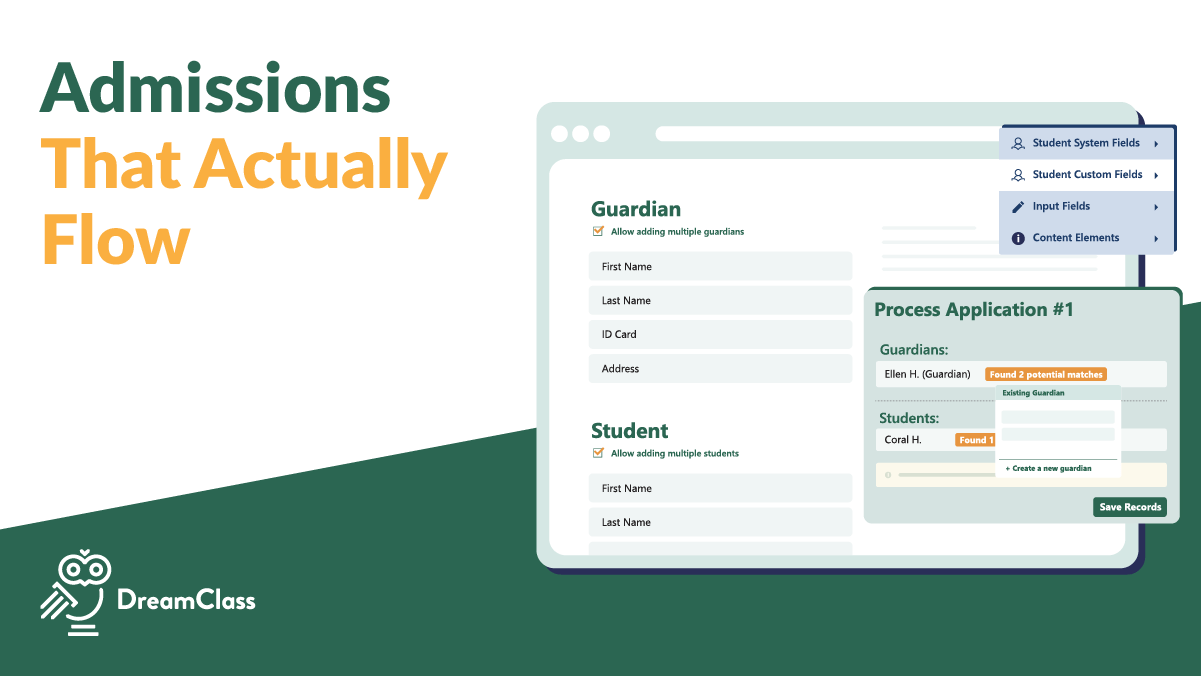
Inside DreamClass, private forms operate within the admission management workflow, while extending beyond traditional admissions. Administrators create customizable forms, using a drag-and-drop builder and then assign them directly to enrolled families.
Admins can:
- Add required or optional fields
- Insert instructions and privacy text
- Preview forms before publishing
- Create multiple forms per school period
After assignment, only authenticated users can access and submit the form. Once submitted, the system automatically:
- Notifies administrators
- Tracks application status
- Logs full action history
- Allows sorting and filtering by status
Therefore, no submission gets lost in an inbox. Instead, everything stays connected to the student record.
Learn more about how this works inside our Admission Management tools.
Can Private Registration Forms Collect Payments?
Yes. In fact, this is where many schools see immediate relief.
Private registration forms can connect directly to student financial workflows. That means activity fees, program charges, or re-enrollment payments can be processed through integrated payment options.
Instead of tracking payments separately, administrators can:
- Monitor invoice status
- Filter paid versus unpaid submissions
- Send automated reminders
- View payment history per student
As a result, you eliminate spreadsheet-based tracking and reduce manual follow-ups.
What Problems Do Private Registration Forms Actually Solve?
On the surface, forms collect data. In reality, they solve deeper operational issues.
Without structured private registration forms, schools often face:
- Repeated manual data entry
- Missing parent submissions
- Disconnected payment tracking
- Duplicate records
- Delayed approvals
However, when private registration forms operate inside one centralized platform, schools can:
- Reduce paperwork
- Minimize errors
- Accelerate processing
- Maintain a complete action history
- Keep parents informed through status updates
This shift transforms internal workflows from reactive to controlled.
How to Create a Private Form
Admins can create private forms, as needed. To set up a Private Form in DreamClass:
- Log in to your DreamClass admin account.
- Go to Admissions.
- Select Period Admission Forms.
- Choose the “Private” option.
- Add your questions, information fields, or file upload requests.
- Assign the form to the specific parents or students.
All done!
▶️ Watch the video:
0:00 Hi there, this is Lida, and in this video we’re going to explore together the private forms. So, our system has, two types of forms.
0:10 One is called private, and the other one is called public. So, public is when we want to have on our website an actual link where people are going to be able to register from.
0:24 Let’s see this in action. So, in this case, this is the, the form. It says welcome to my school. This is the registration for the new year.
0:33 So the person, the guardian, or the end user is filling the fields out, the student information, they’re selecting which classes they want to go for, they sign it, and they do all of that without having an account.
0:47 Let’s see the private form in action. The private form is used from our customers for actions that, or registrations to an activity, or requests for information to the existing community you already have in DreamClass.
1:04 The reason I highlight this is because that means that there needs to be an account in DreamClass as a family member or as a student.
1:16 So here you can say that next week we are going to the Acropolis. So in this form you would like to have the signature of the parent, so this class section is redundant, we don’t need to ask the classes.
1:32 And we would like to ask a question. Which snack, ah, we should prepare for this field trip to the Acropolis?
1:43 So if you add a new section and you select the custom option you can name this meal selection and you can prep and you can write what is this section about.
1:56 So now that I’ve created this section, I want to add a new file. So the question would be, meal, and I’m going to select a single choice, so it would be between three options.
2:08 So I selected three options, pizza, souvlaki, I will bring my own, and I will select left because, ah, we want to have the information left and right, that’s where it can go and I added it to the left and because I don’t have any other fields I do not have to care so much about the order.
2:28 So what is the difference now between this form? The private form is assigned to specific students. It cannot be assigned to guardians, even though they’re the ones that are filling it out.
2:41 So the way that this works is that we go to the students, we make sure that everybody is on the platform, and we go to admissions, bulk actions, assign private forms.
2:53 So when we’re ready, we select our audience, select to notify them about the field trip, and we notify the guardians.
3:02 Optionally, if you want, you can also notify the students. So once we do that, the parents themselves have received an email to visit the parent portal to answer for that.
3:14 Now one of the things you have to make sure before you actually send out the phone form is that under communication email templates, that the notification for the private form has indeed been enabled.
3:25 And in this case, you can see that it’s not active. So my parents actually have not received a notification, so I need to enable it.
3:32 And in this case, the parent, you’re now looking at the parent side, logs into DreamClass, they have a hyperlink from the application email itself and they know that a new application has been assigned to them, a new field, a new form to be filled out.
3:52 In this case it’s a private one and they see this view. So next week we’re going to the Acropolis. During our visit, we are going to enjoy a snack together.
4:02 We want to make sure that this experience is truly unforgettable. And because you would like to collect a specific fee, when you click submit and pay, you’re directed as a parent to pay for this specific service.
4:18 And the parent can now select between card or wire transfer and pay for this. So So as soon as the parent submits that, it says thank you for your application, this is your reference number and the parent can see the date that they submitted this.
4:35 So from your side, if you go back to the original user, which was, the admin, if you go to the admission field trip to the Acropolis, you have one new response and you know that that student wants pizza, but unfortunately their payment was not processed so that you can send them another option for payment
4:57 . So you see instantly that the status was rejected, but you can change the status to waiting response or something else.
5:03 If you would like now to see all the students that are going to this excursion. You can export the CSV and it’s going to tell you also what meal they have selected.
5:14 So that they can, you can prepare the necessary meals. So it’s actually a very powerful option. But just remember private forms are submitted through, through the system.
5:24 The parent has to log in with a username or password. If you don’t have parents, the same applies for students.
5:29 The students need to log in to fill it out. If you have any questions on this process, please feel free to contact us at support at DreamClass.io.
5:38 Thank you for watching.
How Do Private Registration Forms Improve the Parent Experience?
Parents do not want to email attachments repeatedly; we all know that. But they do want clarity.
Because private registration forms live inside a secure parent login area, guardians can:
- Log in anytime
- View assigned forms
- Track submission status
- Pay related fees
- Review previous submissions
Furthermore, they can access attendance, grades, and schedules in the same place. Instead of asking, “Did you receive our form?” they see confirmation immediately. That transparency builds trust.
What Happens After a Private Student Registration Form Is Submitted?
Once a private student registration form is submitted, administrators gain full visibility.
They can:
- Review the response
- Update the application status
- Convert accepted submissions into updated records
- Export data, as needed
In addition, the system records a complete action history, visible to both admins and applicants. Consequently, accountability improves across the board.
Related Reads
If you’re exploring ways to improve internal school workflows, you may also find these guides helpful:
FAQ
Frequently Asked Questions
What are private student registration forms?
Private student registration forms are internal forms accessible only to logged-in users, such as parents, students, or staff. Schools use them for re-enrollment, activity sign-ups, document submissions, and other internal processes.
How are private student registration forms different from public admission forms?
Public forms collect applications from prospective families. In contrast, private registration forms are used by already enrolled families inside a secure portal.
Can private student registration forms collect payments?
Yes. When connected to billing tools, private forms can trigger invoices or track fees automatically.
Are private student registration forms secure?
Yes. They are accessible only through authenticated user accounts, with role-based permissions that control who can view or submit them.