An admissions workflow template is a step-by-step process map that guides a private school through every stage of enrollment, from first inquiry to confirmed placement. Using ready-made templates reduces manual work, standardizes family communication, and makes it far easier to track where every applicant stands at any given moment.
Most private schools don’t lose prospective families because of weak programs or poor facilities. They lose them because the admissions process feels like navigating a maze. Emails go unanswered for days. Application statuses live in someone’s head, instead of a system. Families follow up three times and still don’t know where they stand. Any combination of these phenomena is enough to confuse everyone involved.
But, then, a structured admissions workflow changes that. When you define each step, assign clear ownership and support every stage with the right tools, the entire process runs smoother, for your team; and for every family who applies. This guide gives you five ready-to-use admissions workflow templates, built specifically for private K-12 schools, along with a practical walkthrough of how DreamClass admission management makes each one easier to run.
What Is an Admissions Workflow (And why does yours need a template)?
An admissions workflow is the sequence of steps a school follows, from the moment a family shows interest to the moment a student is officially enrolled. Without a defined workflow, each applicant gets a slightly different experience, depending on who handles their file, how busy things are that week, and maybe also which inbox the documents landed in. Without a clear process, different people react differently,
Of course, you guessed it, templates can solve that problem. They give your team a consistent, repeatable process, so nothing falls through the cracks and no family waits longer than necessary for an answer. So, it’s not just your workflow that needs templates; it’s every school’s workflow that can benefit from it.
What Should an Admissions Workflow Include?
A complete admissions workflow covers the full applicant journey. At minimum, it needs these components:
- An initial inquiry or lead capture step
- A published or shared admission form for new and returning students
- A checklist of admission requirements (documents, signatures, previous records)
- A status tracking system with defined stages
- Parent-facing communication at each key transition
- A final enrollment confirmation step
Each of these components maps to a template. And, together, they form a system you can replicate every enrollment period without starting from scratch. Now, let’s see how these can be turned into templates to facilitate your process.
The 5 Admissions Workflow Templates Every Private School Needs
The templates below are designed for private schools running lean administrative teams. They address the five most common breakdown points in the admissions process. You don’t need five separate tools to implement them. As you’ll see later, DreamClass handles all five from one centralized platform.
Template 1: New Student Inquiry Workflow
You already know that before a family submits an application, they’re evaluating you. The inquiry stage is your first impression and, yet, most schools handle it reactively: someone emails, someone eventually replies, and there’s no record of the exchange.
Let’s try to fix that by adding structure. A structured inquiry workflow turns that around. Here’s how it works in practice:
Step 1
Publish a short inquiry form on your school’s website. Capture name, grade level of interest, preferred start term, and contact information.
Step 2
Set up an automated acknowledgment message that confirms receipt and outlines the next steps (typically, something along the lines of “we’ll follow up within 2 business days”).
Step 3
Route the inquiry to the right person on your team, with a clear response deadline.
Step 4
Log the inquiry in your admissions dashboard, so it doesn’t get buried in an email thread.
This workflow doesn’t require a CRM. A well-configured admissions platform like DreamClass handles this natively, and it keeps every inquiry visible to your whole team.
Template 2: Admission Form and Application Review Workflow
The admission form is the heart of any admissions workflow. When it’s well-built, it collects everything you need upfront. When it isn’t, you spend the next two weeks chasing missing fields.
A strong application review workflow looks like this:
Step 1
Build your admission form with all required fields. That includes student personal information, guardian contact details, and course or grade selections. Also include optional fields where appropriate, so families don’t feel overwhelmed.
Step 2
Share the form publicly (via your website) for new families, or privately (directly to existing guardians) for re-enrollment.
Step 3
When a submission arrives, move it to “Processing” status and assign a staff member to review it within a defined window.
Step 4
If information is incomplete, trigger a follow-up request to the family through the platform, not through a personal email chain.
Step 5
Once reviewed and approved, create the student profile directly from the accepted application.
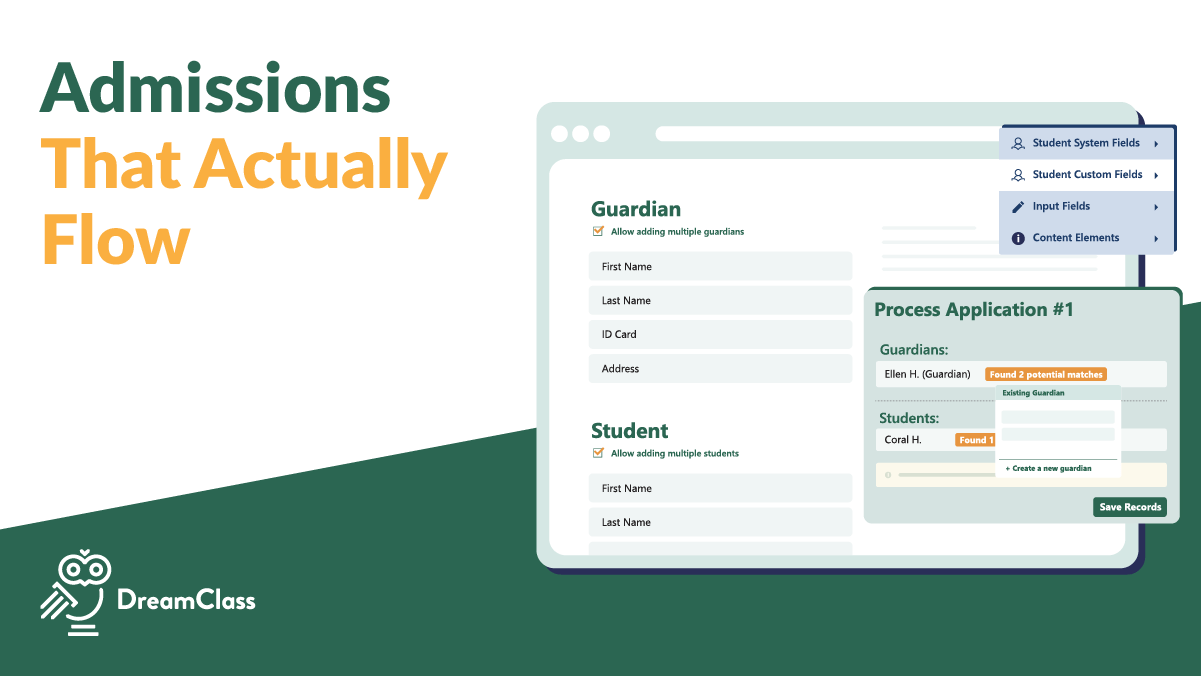
The DreamClass drag-and-drop form builder makes “Step 1” fast and accessible for non-technical administrators. Guardian-oriented forms also support multi-student submissions, so families with siblings only fill out one form.
Template 3: Admission Requirements Checklist Workflow
Collecting admission requirements is where many school admissions processes break down. One family submits everything on day one. Another submits the form but forgets, say, the vaccination records. A third sends documents to an old email address and assumes they’re done. Any of this sounds familiar? We bet it does. After all, making school admissions less time-consuming is one of the most common challenges private schools face.
Let’s try to deal with that. The checklist workflow keeps every applicant on track:
Step 1
Define your school’s full list of required documents. These typically include proof of identity, previous academic records, a completed health or vaccination form, and signed enrollment agreements.
Step 2
Attach the checklist to each applicant’s profile, so staff can track completion at a glance.
Step 3
Use custom fields in your admissions platform to mark each document as received, pending, or waived.
Step 4
If a document remains outstanding past a defined deadline, trigger a reminder to the family.
Step 5
Move the application forward only when all the required items are marked complete.
To help with this part of the process, DreamClass supports document uploads and custom fields directly on student and applicant profiles. Administrators can add notes, set color-coded tags, and maintain a full action history on every file, so there’s never any ambiguity about what’s been received or what’s still outstanding.
Template 4: Application Status and Communication Workflow
One of the most common complaints families make about school admissions is that they never know where they stand. A family submits an application and then waits. Days pass, and they send a follow-up email. Eventually someone responds, oftentimes with a vague update.
This template fixes that part of the process, by making status visible and communication proactive. So:
Step 1
Define your status stages and what each one means. A practical set may include: New, Processing, Waiting Response, Completed, Closed, and Rejected.
Step 2
Move each application through statuses with intent, not just when someone remembers to update a spreadsheet.
Step 3
Send a brief, professional message to the family at each key transition. When an application moves from “New” to “Processing,” the family should know. When a decision is made, they should hear from you before they have to ask.
Step 4
Log every action on the application, so any staff member can see the full history instantly.
To help with all that, DreamClass displays a centralized dashboard of all submitted applications with sort and filter options by status, date, and student name. Every action taken, by staff or by the applicant, is logged in the application’s action history, and visible to both sides. Families and administrators always see the same record. That, alone, spares everyone a lot of headaches.
Template 5: Re-Enrollment Workflow
Re-enrollment is often treated as an afterthought. Current families receive a paper packet or a generic email with a form attachment, and the school manually processes each response. For a school of, say, 100 or 120 students, this adds up to a significant administrative burden every single year.
But there’s a solution to that. A clean re-enrollment workflow eliminates most of that overhead. Let’s break it down:
Step 1
Create a re-enrollment form at the start of each new school period. Use your existing admission form as a base, adjust it for returning students, and publish it as a private form, assigned directly to enrolled guardians.
Step 2
Allow guardians to review and confirm or adjust course selections during the re-enrollment submission.
Step 3
Once submitted, review any changes and confirm the student’s place in the new period.
Step 4
Import confirmed students from the previous school period into the new one, with their profile data, fees, and class assignments carried forward.
In DreamClass, re-enrollment forms pull from the existing student and guardian data, so families don’t re-enter information they’ve already provided. Administrators can import students from prior periods with a few clicks, eliminating duplicate data entry entirely.
Great School Management Software
DreamClass is a very user-friendly and straightforward school management software. As a small school, we’re very happy to have found it. Our previous software was overly complicated and time-consuming, which took our attention away from supporting our students. DreamClass has made a big difference by simplifying our admin tasks and letting us focus on what really matters.
Deputy Business Manager Education Management
Ready to implement these templates in your school?
DreamClass has every one of these workflows built in. Get started, and see how it fits your admissions process in under 30 minutes.
Still in doubt? Let’s take a look at how you can work with these in DreamClass:
How to Build Your Admissions Workflow in DreamClass
We feel we should still clarify that the five templates above aren’t just conceptual. Each one maps directly to features inside DreamClass. And here’s how the platform supports each stage of your admissions workflow:
How Do You Set Up an Admission Form in DreamClass?
To set up an admission form in DreamClass, go to the Admissions module, click to create a new form, and use the drag-and-drop builder to add and configure your fields. You can set fields as required or optional, add instructions, and publish the form publicly for new families or privately for re-enrollment.
Start in the Admissions module. Create a new form, give it a name tied to the current school period, and use the drag-and-drop builder to add your fields. You can mark fields as required or optional, add introductory text or instructions, attach a privacy policy or terms of use, and preview the form before publishing. For a step-by-step walkthrough, see the guide on creating a student admission form, using DreamClass.
Now, for new students, publish the form publicly and share the link on your school website, or maybe even in outreach emails. But, for re-enrollment, assign the form privately to current guardians. Multi-student guardian forms generate separate fields for each child automatically, so families with two or three students don’t need to complete separate submissions. 😉
How Does DreamClass Track Admission Requirements?
DreamClass tracks admission requirements through custom fields, document uploads, and timestamped notes on each applicant’s profile. So, administrators can tag documents by status, view a full action history, and identify outstanding items without leaving the platform.
Each applicant’s profile supports document uploads, custom fields, and quick notes. On their side, administrators can attach color-coded tags to flag urgency or document status and add time-stamped notes at any point in the review process. And, of course, the full action history is always visible, showing who took what action and when.
This means your team doesn’t need to rely on memory or email threads to track whether a specific family has submitted their vaccination records or signed the enrollment agreement. Everything lives on the applicant profile.
Now, let’s see how you can deal with the different stages of the application.
How Do You Manage Application Status in DreamClass?
In DreamClass, you manage application status from a centralized dashboard. Each application moves through defined stages (New, Processing, Waiting Response, Completed, Closed, Rejected) with a single action. Every status change is logged automatically and is visible to both staff and applicants.
The centralized admissions dashboard displays every submitted application with full filtering and sorting by status, submission date, or student name. Moving an application from one status to the next takes a single action, and the platform logs the transition automatically. Then, email notifications alert your team when new applications arrive, so nothing waits unnoticed.
DreamClass
My experience with DreamClass has been amazing. They are quick to fix any issues and offer any support that we need. DreamClass is the best thing that could have happened.
Administrative Assistant Consumer services
Common Admissions Workflow Mistakes (And how to avoid them)
We know that even well-intentioned schools make avoidable mistakes when running admissions without a defined system. These are the four most common ones (that we’ve seen), and what to do instead:
No standard form
Every admissions season starts fresh, with someone rebuilding the application from an old Word document or a Google Form that nobody has updated. The fix to that is straightforward: create your form once, save it in your admissions platform, and reuse it each period with minor adjustments.
No status visibility
When application status lives in one person’s head or in an unshared spreadsheet, the rest of the team can’t answer family inquiries. Decisions get delayed. Instead, using a shared platform with defined status stages solves this permanently.
Manual email chains
Chasing families via personal email is slow, easy to lose, and impossible to audit. But, if you think about it, communication tied directly to the applicant profile keeps every exchange accessible to every team member and creates a clear record.
Losing re-enrollment data
Schools that treat re-enrollment like a new application, from scratch, waste hours on data entry every year. It’s obvious (we think) that re-enrollment workflows that pull from existing profiles save significant time and reduce errors.
So far, so good. But is this level of repeatability actually required? We think it is!
Why a Repeatable Admissions Workflow Matters for Growing Schools
There’s a threshold most growing private schools hit, in our experience usually somewhere between 60 and 100 students, where informal processes stop working. What used to run on shared instinct and muscle memory starts producing dropped applications, frustrated families, and administrative bottlenecks. Understanding how to simplify enrollment and convert more families is what separates schools that grow cleanly from those that plateau.
A repeatable admissions workflow is one of the most direct investments a school can make in its own growth capacity. When families have a smooth, professional application experience, they tell other families. Don’t they? And, so, when your team processes applications consistently and efficiently, you reduce the risk of losing qualified candidates to slow follow-up. That means, when admission requirements are tracked systematically, you protect your school from compliance gaps.
Of course, beyond the family-facing benefits, a well-structured workflow also protects your staff. Administrators at private schools often wear multiple hats. They can’t afford to spend three hours a week reconstructing which applications are still waiting on documents. A system that makes that visible in seconds is a direct quality-of-life improvement for the people running your school. And getting them back to handling the useful stuff makes an even bigger difference. For a broader look at how this connects to long-term capacity, see the guide on building an effective enrollment management system for small schools.
The schools that scale cleanly don’t just hire more staff. They build better systems first. And, digital or not, we all know this to be true. Don’t we?
We love DreamClass
Overall, my experience with DreamClass has been nothing short of exceptional. I highly recommend this software to any educational institution looking to streamline their operations and enhance their administrative capabilities. Their commitment to customer satisfaction truly sets them apart in the field!
Admin, Operational Support Superhero Education Management
What are the best tools to organize and track school admissions deadlines?
Tracking admissions deadlines effectively requires more than a shared calendar or a spreadsheet. When applications arrive from multiple channels and involve multiple staff members, deadline management breaks down, unless everything lives in one system, with visible status for every file.
Purpose-built admission management platforms are the most reliable solution because they centralize the entire pipeline. The best tools for tracking admissions deadlines allow administrators to assign a status to each application (such as New, Processing, Waiting, or Completed), view all outstanding items in a single dashboard, and trigger automated reminders to families when documents are overdue or a decision window is approaching. This removes the manual burden of chasing individual applicants across separate email threads.
DreamClass handles this natively, through its admissions dashboard. Every application has a full action history, custom status tags, and built-in communication tools, so administrators can follow up without switching between systems. For schools managing both new enrollment and re-enrollment in the same cycle, a platform that supports both public and private application forms in one place eliminates the need for a separate deadline-tracking tool entirely. Schools that set clear internal deadlines for each admissions stage and enforce them through a structured workflow consistently report shorter cycle times and fewer errors in their enrollment data.
Ready to Put These Admissions Workflow Templates to Work?
That was quite a journey. But, you now have five practical templates that cover every stage of the private school admissions process, from initial inquiry to re-enrollment. And each one is designed to reduce manual work, improve family communication, and give your team clear visibility into where every applicant stands. These, in and of themselves, are real benefits.
DreamClass puts all five templates into action, inside one platform. No spreadsheets, no disconnected email chains, no rebuilding your admission form every September. Just a clean, centralized admissions workflow your team can rely on.
Take a look at DreamClass, maybe book a demo, and see how it fits your school’s specific admissions process.
Related Reads
If you found this article useful, these resources cover the next steps in building a complete admissions and enrollment system for your school:
- What Is an Admission Management System?
- How to Streamline the School Admissions Process Without Drowning in Paperwork
- Handle School Admissions and Records: Step-by-Step Guide
- School Admission Made Less Time-Consuming and More Efficient
- How New Private Schools Scale from Spreadsheets to Admin-Ready School Management Systems
FAQ
Frequently Asked Questions
What is an admissions workflow in a private school?
An admissions workflow is a defined sequence of steps that takes a prospective student from initial inquiry through application, review, and final enrollment. It standardizes how your team handles every applicant so nothing falls through the cracks.
Why do private schools need admissions workflow templates?
Private schools typically run with lean admin teams where one or two people manage the entire enrollment process. Templates reduce the risk of inconsistent handling, missed follow-ups, and lost applicants. They also make it possible to hand off tasks without losing context.
What is the difference between an admission form and an admissions workflow?
An admission form is a single document that collects applicant data. An admissions workflow is the broader process that includes the form as one component, along with status tracking, document collection, communication touchpoints and enrollment confirmation.
How long does it take to set up an admissions workflow in DreamClass?
Most schools configure their core admissions workflow in DreamClass within a single session. The drag-and-drop form builder, pre-defined status stages, and reusable form structure are designed for administrators without technical backgrounds.
Can DreamClass handle both new student admissions and re-enrollment in the same platform?
Yes. DreamClass supports both new enrollment forms (shared publicly) and re-enrollment forms (assigned privately to existing guardians). Re-enrollment pulls from existing student profiles, so families don’t need to re-enter data they’ve already provided.
What are the best tools to organize and track school admissions deadlines?
Purpose-built admission management platforms are the most reliable option. Look for tools that centralize all applications in one dashboard, support custom status tags, and send automated reminders to families when documents are overdue or deadlines approach, without requiring a separate tracking tool.