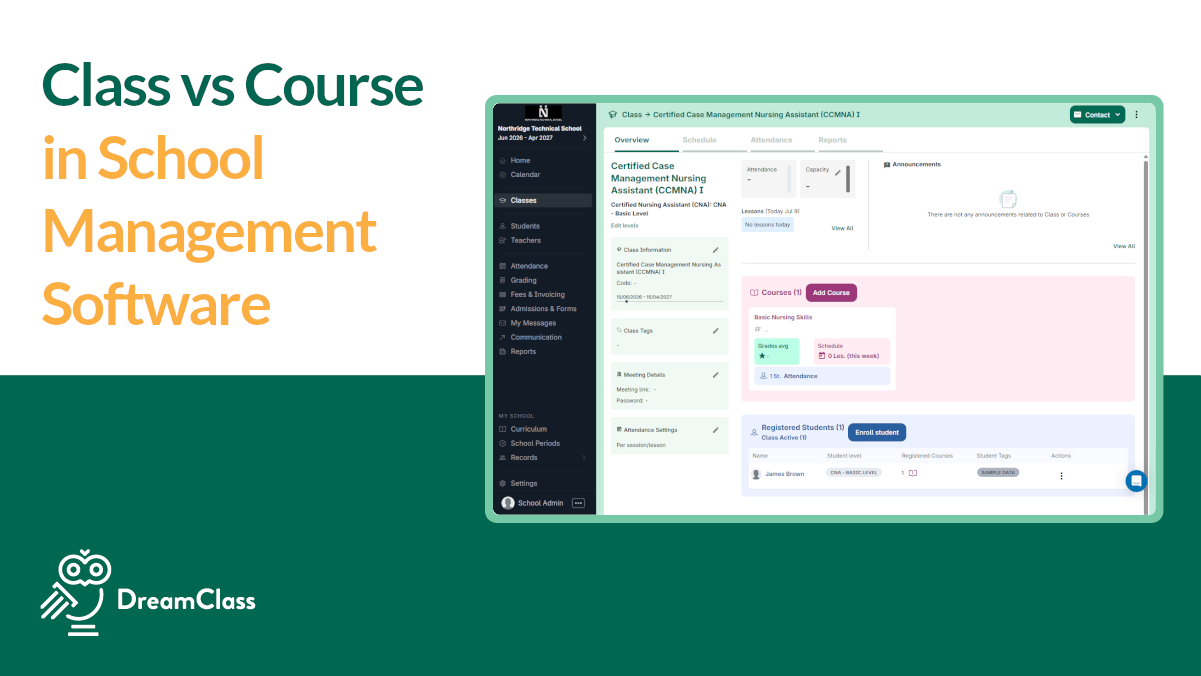
Most school administrators hit this question in their first week of their student information system setup. If they’ve used “class” and “course” interchangeably for years, and now the software is asking them to configure each one separately, what’s what? The difference between a course and a class in school management software is precise, and understanding it before you build your academic structure saves real time later.
In school management software, each term carries a specific role. Here’s a brief explanation:
- Class: A group of students organized by level, section, or cohort
- Course: The specific subject or topic being taught (e.g., Algebra 1, Biology, Medical Training)
- Subject: The broader academic category a course belongs to (e.g., Mathematics, Science, Language Arts)
- Class Course: The combined entity created when a class and a course are mapped together; that’s what students actually enroll in
Why Do These Terms Confuse So Many Administrators?
In everyday conversation, “I’m in math class” and “I’m enrolled in a math course” mean the same thing. So when an SIS displays separate fields for “class,” “course,” and “subject,” the terminology collision is immediate.
School management software assigns precise roles to each term because they support different functions. A class manages who is grouped together. A course defines what they’re learning. A subject organizes courses into broader academic categories. Once those distinctions click, the rest of the setup follows naturally.
Anchor Enrichment, a K-12 homeschool co-op in Arizona, ran into this directly when building their program in DreamClass. Their team initially structured their curriculum using courses as broad umbrella categories. They later simplified it by collapsing everything into single-course classes, So, one class, one course. Clean, practical, and perfectly valid in DreamClass, because the platform is built to adapt to how your school actually runs.
What Is a “Class” in School Management Software?
A class is an organizational container. As mentioned, it defines who is grouped together, not what they’re learning. Think of it as a roster placeholder without a curriculum attached.
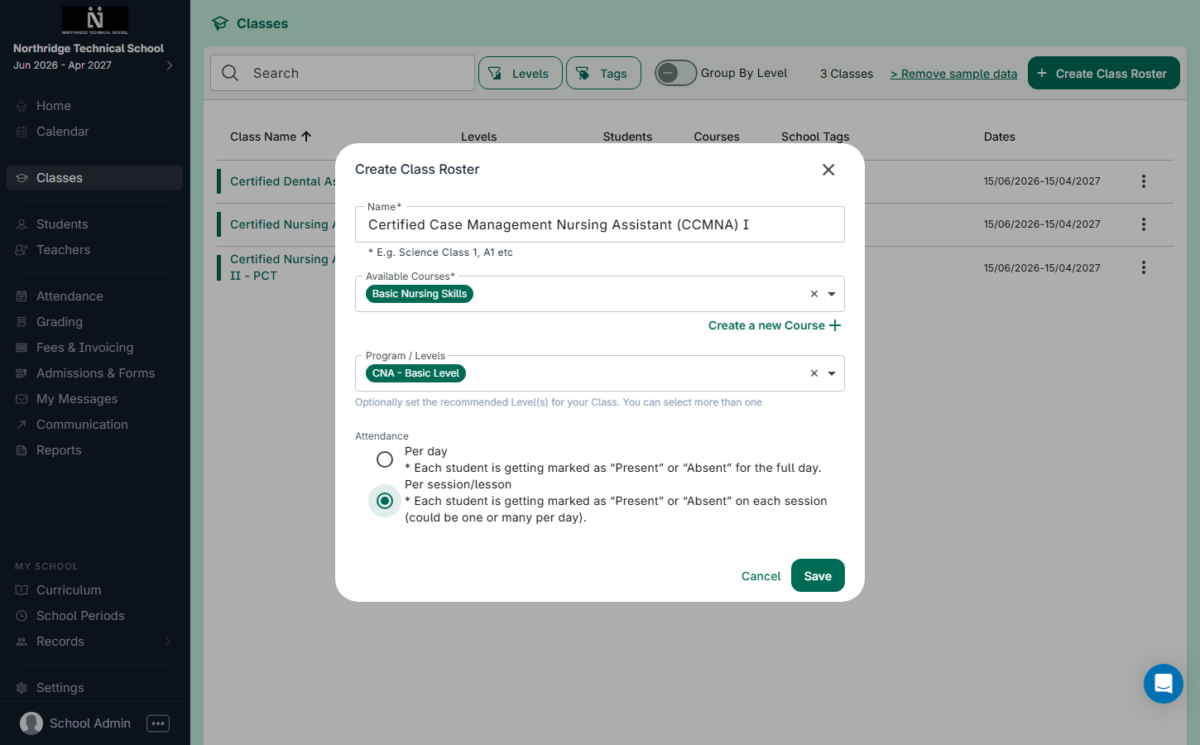
In DreamClass, a class can represent several configurations, depending on your school’s structure:
- Multiple sections within the same level (Class A1, Class A2, Class B1)
- Level-based groupings (Lower Elementary, Upper Elementary, Middle School, High School)
- Any cohort with a name that reflects your school’s unique organization
There’s no enforced naming convention. You call them whatever makes sense for your program, and the system adapts accordingly. Again, a class, on its own, holds students. It doesn’t teach them anything. That function belongs to the course.
What Is a “Course” in School Management Software?
A course is a catalog item. It defines what is being taught, independent of any specific student group. You create it once and map it to as many classes as your program requires.
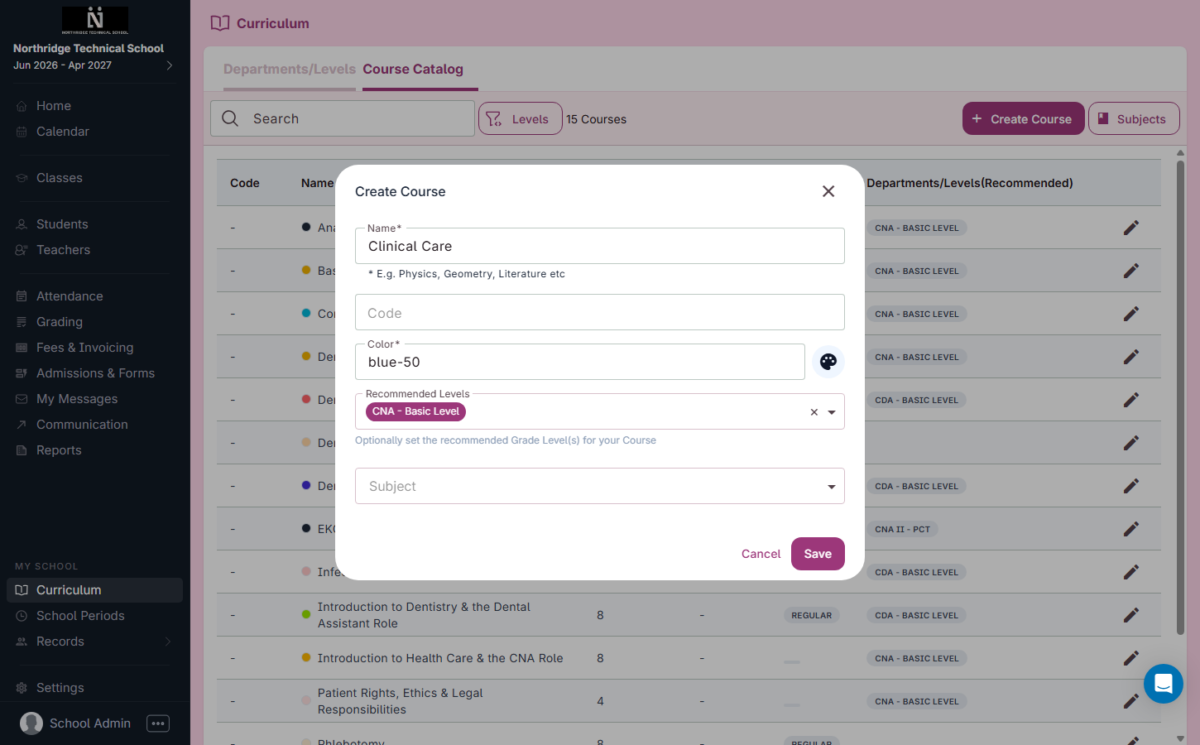
In DreamClass, each course includes a set of configurable properties:
- Name: The full course title, such as “English Language and Literature”
- Code: A short unique identifier, such as “ENGL101”
- Description: A brief summary of the course content
- Teaching Hours: The number of hours the course runs per week
- Units/Credits: The academic weight assigned to the course
- Type: Regular or Honors; To clarify, honors courses carry a higher grade weight, defined separately in Grade Mapping
- Subject: The academic category the course belongs to
- Levels: Recommended grade levels for the course
A course doesn’t touch attendance or grades until you map it to a class. Until then, it lives in your course catalog as a reusable building block, ready to be assigned wherever it fits.
What Is a “Subject” in School Management, and Where Does It Fit?
A subject is the broadest organizational layer. It’s the academic category, not the content itself. Mathematics, Language Arts, and Science are subjects. Algebra 1, World History, and Nurse Assistant are courses that fall within those subjects.
In DreamClass, subjects serve a purely organizational function. They group related courses together and make your catalog easier to navigate as your school grows. Subjects don’t hold students, generate attendance records, or produce grades. They’re a filing system for your curriculum.
TIP: Building your subjects first, before creating your courses, makes the overall setup process noticeably cleaner.
How Do Classes, Courses, and Subjects Connect in a School Management System?
The entity that binds all three together in DreamClass is the Class Course. When you map a class to a course, DreamClass generates a combined entity. Map “Class A1” to a course called “Math,” and the result is “A1 Math.” That’s the Class Course.
The Class Course is what students actually enroll in. It also drives three core administrative functions:
- Attendance tracking: Each Class Course maintains its own session-by-session record
- Gradebook: Instructors enter and manage grades at the Class Course level
- Reporting: Transcripts and progress summaries pull from Class Course records
A class without a course is an empty group. A course without a class is an unused catalog entry. In other words, practically, the Class Course is where school administration actually happens.
The full hierarchy in DreamClass: Subject → Course → Class → Class Course → Student Enrollment
How Do Different School Types Set Up Classes and Courses?
DreamClass supports different structural models without forcing a single configuration. Here’s how three common school types typically approach the setup:
Traditional private school: Classes represent grade levels or sections. Multiple courses map to each class. A cohort of students studies English, Math, and Science together under the same class label, with each subject becoming its own Class Course. One class, many subjects.
Homeschool co-op: Students pick individual offerings from a published schedule rather than following a fixed curriculum track. Each class maps to exactly one course. Anchor Enrichment uses this model. The way it works is, parents browse the schedule, select the sessions their children will attend, and enroll accordingly. No fixed rosters, no assigned homerooms.
Hybrid or micro-school: A combination of both. Some cohorts follow a shared curriculum, while others sign up for elective offerings individually. DreamClass handles both configurations within the same account, without conflict.
Stellar Support and Product
The features are user friendly and easy to learn. The design of the app is intuitive, making it an efficient system in organizing a large amount of student information.
Assistant Program Director of Educational Support ServicesEducation management
Which Setup Is Right for Your School?
The right structure depends on how your students move through your program. Before you start building, consider these decision points:
- Students follow a shared curriculum together: Group them in a class and map multiple courses to it
- Students pick individual offerings from a menu: Use single-course classes, one course per class, as Anchor Enrichment does
- You manage a large course catalog: Create your subjects first to keep the catalog organized before you build classes
- You’re mixing both models: Build separate class structures for each model and link them within the same account
If you’re unsure which setup fits your program, DreamClass support can walk you through the right configuration before you build anything. Getting the structure right from the start is a conversation worth having.
DreamClass
DreamClass has made it so much easier for us. It has everything that we need.
Administrative AssistantConsumer services
DreamClass is built to match the way your school actually works, whether that’s grade-based cohorts, à la carte co-op scheduling, or a hybrid of both. Take a look with a free trial.
Related Reads
If you want to go deeper on any of the topics covered here, these resources are a good next step:
FAQ
Frequently Asked Questions
What’s the difference between a class and a course in DreamClass?
A class organizes students into a group. A course defines the specific subject being taught. When you link the two, DreamClass creates a Class Course entity, which is what students enroll in and where both attendance and grades are tracked.
What’s a Subject in DreamClass, and do I need to use it?
A subject is a broader academic category, like Mathematics or Science, used to organize your course catalog. You don’t have to use subjects, but they make the catalog significantly easier to manage as it grows.
Can one class have more than one course in DreamClass?
Yes. A single class can have multiple courses mapped to it. For example, Class A1 could include Math, English, and Science, each generating its own Class Course entity with its own gradebook and attendance log.
How do homeschool co-ops typically structure classes and courses in DreamClass?
Most co-ops use single-course classes, meaning each class maps to exactly one course. This lets families enroll their children in individual offerings, rather than committing to a full curriculum track.
How does the class-course structure affect attendance and grading?
Attendance and grades are recorded at the Class Course level, not at the class or course level individually. So, each Class Course has its own attendance log and gradebook, giving instructors and administrators a clean record for every subject that each student takes.